Flamingo vs Form Vibes: Which Plugin Should You Use to Save CF7 Submissions?
Contact Form 7 has over 10 million active installations, making it the most widely used form plugin in WordPress. But it has one significant gap: it does not save submissions to your database. Every entry goes out as an email, and if that email fails, the submission is gone permanently.
Two plugins solve this problem: Flamingo and Form Vibes. Both capture CF7 submissions to your WordPress database automatically. Both are free to install. But they are built for different types of sites and different workflows.
This article compares Flamingo vs Form Vibes feature by feature, what each one does, where each one stops, and exactly which one you should install based on how you use Contact Form 7.
Notes: Contact Form 7 is the form builder. Flamingo and Form Vibes are both submission managers, companion plugins that sit alongside CF7 to store your entries. This article compares the two submission managers, not CF7 itself.
What problem are Flamingo and Form Vibes solving?
When someone fills out your Contact Form 7 form and hits submit, CF7 sends you an email with their details. That’s it. It does not save anything to your website.
So what happens if that email never reaches you?
Maybe your hosting provider had a mail issue. Maybe the email landed in spam. Maybe you switched to a new server and something broke. Whatever the reason that submission is gone. There is no way to get it back because CF7 never stored it anywhere in the first place.
This is where Flamingo and Form Vibes come in.
Both plugins do the same essential thing: the moment someone submits your form, they save that entry directly to your WordPress database. Before the email even tries to send. So even if email delivery completely fails, the submission is safely stored and waiting for you in your WordPress admin.
No missed leads. No lost enquiries. No “did someone fill out the form?” guesswork.
Important: If you are running Contact Form 7 right now without either plugin and your email fails, those submissions are gone permanently. There is no backup. Installing one of these plugins takes two minutes and protects every submission from that point forward.
What does Flamingo do and where does it stop?
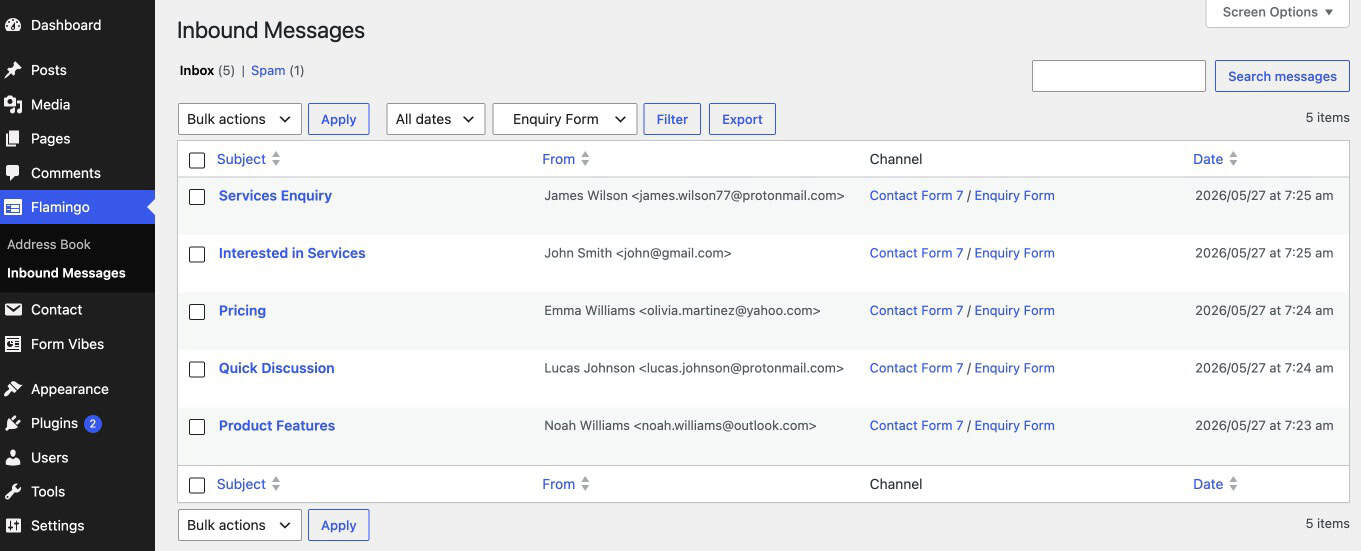
Flamingo is the official companion plugin for Contact Form 7, built and maintained by the same developer. It is completely free, requires zero configuration, and starts capturing submissions the moment you activate it. With over 800,000+ active installations, it is the default choice for most CF7 users who need basic submission storage.
What Flamingo does well
- Stores every CF7 submission in the WordPress database automatically
- Provides an Inbound Messages screen in wp-admin where all entries are listed and searchable
- Saves form submitter details in an Address Book view
- Allows basic CSV export of stored submissions
- Includes a search bar to quickly search and find specific form entries
- Actively maintained and confirmed compatible with latest version of WordPress
Where Flamingo stops
- CF7 only – Flamingo has no integration with WPForms, Elementor Forms, Ninja Forms, Gravity Forms, or any other form builder. If you run multiple form plugins on your site, Flamingo only captures CF7 submissions.
- No analytics – There is no chart, no trend data, and no way to see whether your forms are generating more or fewer leads over time without exporting manually.
- No date range filtering – Submissions are listed chronologically with no filter controls. Finding entries from a specific period requires scrolling through everything.
- No entry editing – Submission data cannot be corrected. If a user submits a typo in their email address, you cannot fix it in Flamingo.
- No team tools – No status flags, no notes per entry, no role-based access control. Everyone with admin access sees everything, and there is no way to mark an entry as reviewed.
- Free only – There is no Pro tier or paid upgrade. Flamingo’s feature set is fixed.
Tip: If your site only needs a simple and reliable backup of Contact Form 7 submissions, Flamingo is a great default choice. For websites with a single CF7 form, low submission volume, and no team collaboration needs, it keeps things lightweight and easy to manage.
What does Form Vibes do differently?
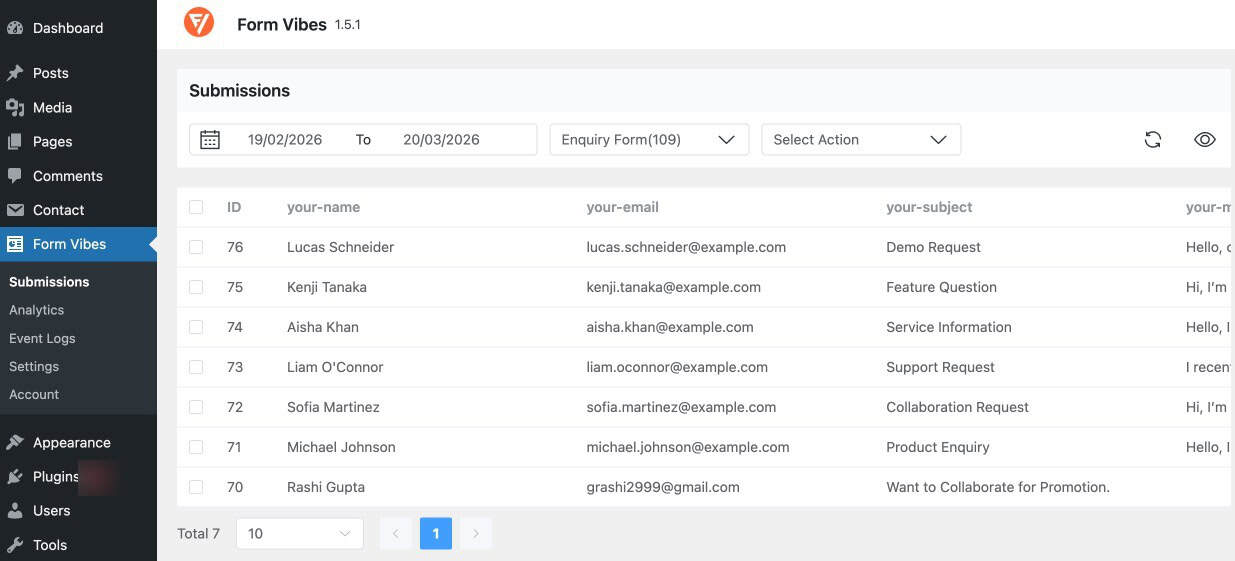
Form Vibes is a submission management plugin not just a storage plugin. It captures CF7 submissions exactly the same way Flamingo does, but then adds a full management layer on top: analytics, advanced filtering, team tools, and support for 9 form builders from a single unified dashboard.
What Form Vibes includes on the free plan
- Saves Contact Form 7 submissions to the WordPress database automatically, the same core functionality as Flamingo
- Unified dashboard that manages entries from all supported form builders in one place, with a dropdown to quickly switch between forms
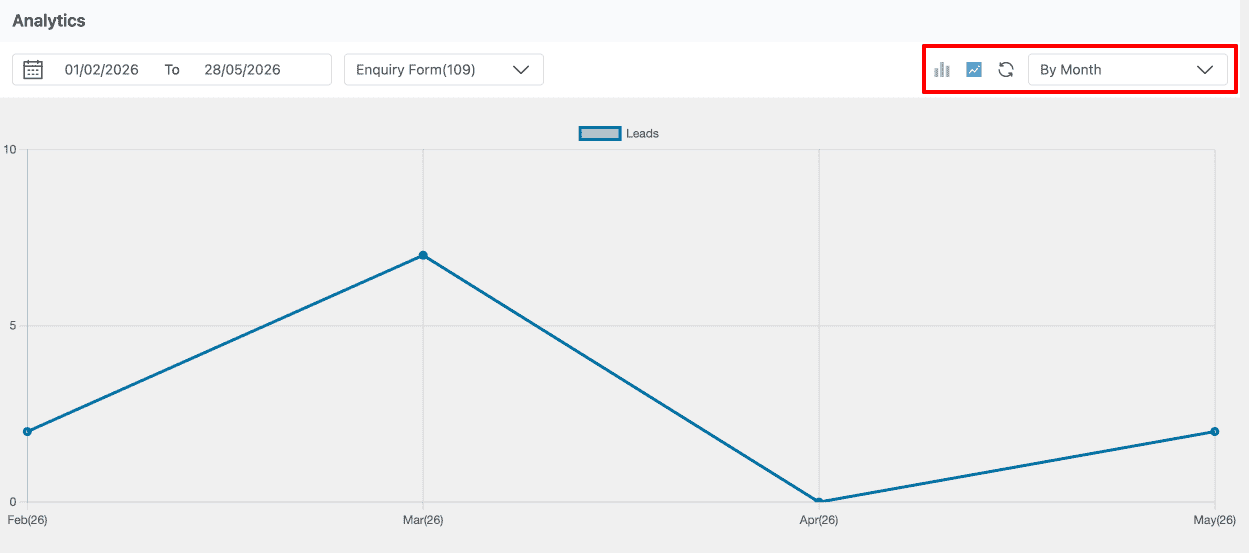
- Submission analytics with daily, weekly, and monthly bar/line charts to track submission trends across any selected date range
- Date range filtering to quickly find entries
- Allows deleting individual or bulk entries directly from the dashboard
- Provides an event log showing which user changed, deleted, or managed entries for better tracking and accountability
- Basic CSV export support for up to 1,000 rows
- Supports 9 form builders: Contact Form 7, WPForms, Elementor Pro Forms, Gravity Forms, Ninja Forms, WS Form, Bricks Builder, Beaver Builder, and Everest Forms
What Form Vibes Pro adda
- Unlimited CSV export with field-level selection, so you can export only the data you need
- Export Profiles that let you save complete export configurations and re-run them in one click
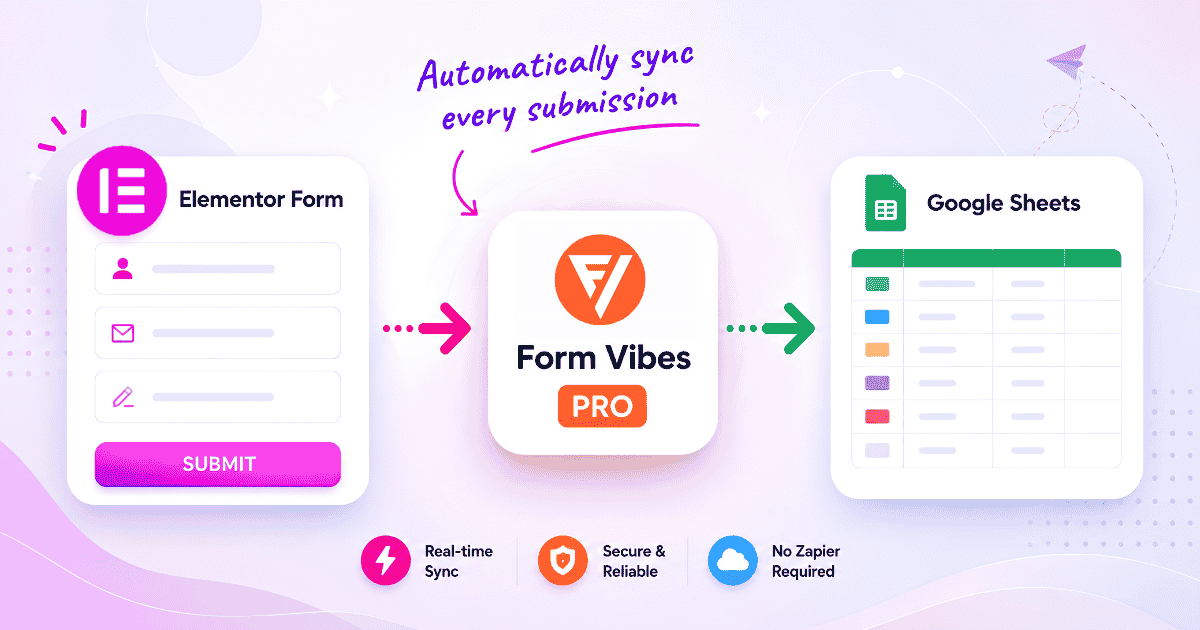
- Google Sheets sync to automatically send new submissions to a connected spreadsheet in real time – no Zapier required
- Entry editing support to update or correct form submission data directly from the dashboard
- Notes per submission for adding internal comments and team communication directly inside entries
- Role Manager to control which WordPress user roles can view, edit, export, or manage submissions
- Data Profiles to display form submissions on the frontend of your website
- Advanced filtering using AND/OR logic to quickly find entries by name, email, date, status, or any custom field value
- Ability to mark submissions as Read, Unread, or Spam for better submission management
Pro: Form Vibes Pro is $49/year or $149 lifetime. The free plan has no time limit and no feature expiry, you can use the free version indefinitely.
Free to install, Form Vibes automatically starts saving Contact Form 7 submissions immediately after installation – no account setup, API keys, or toggle configuration required.
How do Flamingo and Form Vibes compare feature by feature?
The table compares Flamingo and Form Vibes feature by feature, helping you quickly see the difference between basic submission storage and advanced form management capabilities.
| Feature | Flamingo | Form Vibes |
|---|---|---|
| Saves CF7 submissions automatically | Yes | Yes |
| Works with other form plugins | No | Yes |
| Submission analytics | No | Yes |
| Date range filtering | No | Yes |
| CSV export | Yes | Yes |
| Change Submission Status | No | Yes |
| Google Sheets sync | No | Yes |
| Edit Submissions | No | Yes |
| Notes per submission | No | Yes |
| Pricing | Free | Free + Pro |
When should you use Flamingo?
Flamingo is the right choice when your site runs Contact Form 7 only, your submission volume is low, and all you need is a reliable backup copy of your entries stored in the database.
Choose Flamingo if:
- You run a personal blog, portfolio, or small brochure site with a single CF7 contact form
- You receive fewer than 20 to 30 submissions per month
- You have no team reviewing or managing submissions
- You do not need analytics or trend data on form performance
- You are not running any other form plugins alongside CF7
- You want zero configuration – install, activate, and it works
Flamingo has 800,000+ active installations for good reason. It is simple, lightweight, and maintained by the same developer who builds Contact Form 7. For the sites it is designed for, it is exactly right.
Already using Flamingo? If it is working for your site, you do not need to switch. Form Vibes is worth considering when your submission workflow grows beyond what Flamingo covers – more volume, multiple form plugins, or a team that needs to act on entries.
When should you use Form Vibes?
Form Vibes is the right choice when storing submissions is not enough when you need to analyse, act on, or share submission data as part of a real workflow.
Choose Form Vibes if:
- You receive a meaningful volume of submissions and need to review or respond to them regularly
- You run more than one form plugin on your site and want all submissions in one dashboard
- You want to see submission trends without exporting data manually
- You need to export submissions to CSV or Google Sheets on a regular schedule
- A client or team member needs access to submissions without full WordPress admin access
- You want to add internal notes, mark entries as reviewed, or track which leads have been followed up
- You build or maintain sites for multiple clients and want one reliable submission management tool installed across all of them
Form Vibes is also the better fit if you plan to grow. The free plan covers everything Flamingo covers, and when your needs expand, Pro features are a one-time upgrade rather than a plugin switch.
Conclusion
Both Flamingo and Form Vibes solve the same core problem, saving Contact Form 7 submissions inside WordPress but they are designed for different needs. Flamingo is a lightweight and reliable option for users who only want simple entry storage and basic export functionality.
Form Vibes, on the other hand, is built for users who need more control over their form data. Features like analytics, advanced filtering, Google Sheets sync, submission editing, audit logs, team collaboration tools, and support for multiple form builders make it a better fit for growing websites, businesses, and agencies.

Stop losing CF7 submissions with Form Vibes
Form Vibes captures every Contact Form 7 submission to your database the moment it is submitted. Free to install, no account needed, works alongside your existing CF7 setup.
Frequently Asked Questions
Common questions about Flamingo vs Form Vibes for CF7.
Can I use Form Vibes and Flamingo at the same time?
Yes, both plugins can run simultaneously without conflict. Form Vibes and Flamingo will each store CF7 submissions independently in the database. In practice, most users who install Form Vibes deactivate Flamingo as Form Vibes covers everything Flamingo does and more but running both causes no issues.
Does Flamingo work with WPForms, Elementor Forms, or Ninja Forms?
No. Flamingo is designed exclusively for Contact Form 7 and has no native integration with other form builders. Form Vibes supports 9 WordPress form plugins – CF7, WPForms, Elementor Pro Forms, Gravity Forms, Ninja Forms, WS Form, Bricks Builder, Beaver Builder, and Everest Forms, all in one unified dashboard.
Is Form Vibes free?
Yes. Form Vibes has a fully functional free plan on wordpress.org with no time limit. It includes unlimited submission storage, the unified dashboard, analytics, basic CSV export, and support for all 9 form builders. The Pro plan ($49/year) unlocks advanced export, Google Sheets sync, entry editing, notes, and role-based access control.
What are the main limitations of the Flamingo plugin?
Flamingo stores CF7 submissions and provides basic search and CSV export, nothing beyond that. It has no analytics, no date range filtering, no entry editing, no team tools, and no support for form plugins other than CF7. It also cannot auto-delete entries.
Can Form Vibes replace Flamingo completely?
Yes. Form Vibes handles everything Flamingo does – automatic CF7 submission storage, a viewable entry list, search, and CSV export, and adds analytics, filtering, team features, and multi-plugin support on top. Once Form Vibes is active, Flamingo is no longer needed.




Leave a Reply