9 Best WordPress Form Plugins and Their Most Useful Add-ons

Every WordPress form builder handles some forms well and leaves a few gaps, such as multi-step layouts, conditional logic, integrations or a place to keep your submissions. Some gaps close in the paid version of the builder, and others need an add-on.
This guide covers nine of the best WordPress form plugins, including the form tools built into three popular page builders. For each one, you will see a real form built with it, what the builder includes on its own, and the add-ons people use to fill whatever is missing, whether that is an official add-on, a free plugin from WordPress.org, or a tool that works across all of them.
| Form builder | Best for | Popular add-ons |
|---|---|---|
| Contact Form 7 | Simple contact and enquiry forms | Conditional Fields, Webheadcoder Multi-Step Forms, Form Vibes |
| WPForms | Booking request forms | Google Sheets, Surveys and Polls, Form Vibes |
| Ninja Forms | Quote forms with live estimates | Multi Step Forms, Conditional Logic, File Uploads |
| Everest Forms | Job application forms | Multi-Part Form, Conditional Logic, Stripe and PayPal Standard |
| WS Form | Long questionnaires | Google Sheets, Mailchimp, PDF |
| Gravity Forms | Paid event registrations | Stripe, Gravity PDF, Gravity Forms + Custom Post Types |
| Elementor Pro | Lead forms inside Elementor designs | Conditional Fields for Elementor Form, Addon Elements for Elementor Pro, Form Vibes |
| Bricks Builder | Lead, signup, login and registration forms | Form Vibes, Bricksforge, Max Addons |
| Beaver Builder | Contact, signup and login forms | Beaver Builder AI, PowerPack for Beaver Builder, Ultimate Addons for Beaver Builder |
Which add-ons work best with popular WordPress form plugins?
The best add-on for a form builder is the one that fills the specific gap your form has, such as multi-step forms, conditional logic, integrations or saved submissions. Each form builder below shows a real form, what is built in, and which add-ons cover the rest.
Extending Contact Form 7 beyond simple forms

Contact Form 7 is one of the longest-running free form plugins for WordPress, and it suits simple contact and enquiry forms shown here. You build forms by adding short form-tags to a template, which keeps forms light but means most extra features come from other plugins.
Out of the box, Contact Form 7 covers text, email, phone, number, date, dropdown, checkbox, radio, and file upload fields. It also includes a Stripe integration for card payments with no extra fee from Contact Form 7, spam protection through Cloudflare Turnstile, reCAPTCHA or Akismet, and a Brevo integration for email lists.
| Feature you need | Contact Form 7 (free) | Add-on |
|---|---|---|
| Text, email, date, file upload and acceptance fields | Yes | Not needed |
| Stripe payments and spam protection | Yes | Not needed |
| Conditional logic | Yes | Conditional Fields for Contact Form 7 (free) |
| Multi-step forms | No | Webheadcoder Multi-Step Forms for Contact Form 7 (free) |
| Saved submissions in your dashboard | No | Form Vibes (free) |
Tips: Contact Form 7 recommends Cloudflare Turnstile for spam protection unless you have a reason to use reCAPTCHA, since Turnstile is free to use.
Using more than one of these form builders? Form Vibes saves all their submissions into one WordPress dashboard in its free version.
WPForms add-ons worth adding

WPForms is a drag-and-drop form builder with a free version, WPForms Lite, and paid licenses. It suits booking and request forms shown here, which was built entirely in WPForms Lite.
WPForms Lite includes the AI form builder, a large template library and the standard fields most forms need, such as name, email, dropdown, multiple choice and paragraph text. It can take payments through Stripe, Square and PayPal with an extra WPForms fee on each transaction, and it connects to Constant Contact. Two limits matter for most sites: WPForms Lite sends one notification email per form, and it does not keep entries in your WordPress dashboard.

| Feature you need | WPForms Lite (free) | WPForms Pro | Add-on |
|---|---|---|---|
| Drag-and-drop builder, AI form builder, templates | Yes | Yes | Not needed |
| Payments through Stripe, Square or PayPal | Yes, with an extra fee | Yes, no extra fee | Not needed |
| Saved entries in your dashboard | No | Yes | Form Vibes (works with Lite) |
| Entries sent to Google Sheets | No | With add-on | Google Sheets addon or Form Vibes Pro |
| Survey fields and reports | No | With add-on | Surveys and Polls addon |
Tips: WPForms Lite backs up your entries to the cloud through Lite Connect, so if you upgrade later, you can bring those entries back into your dashboard.
Adding Logic to Ninja Forms

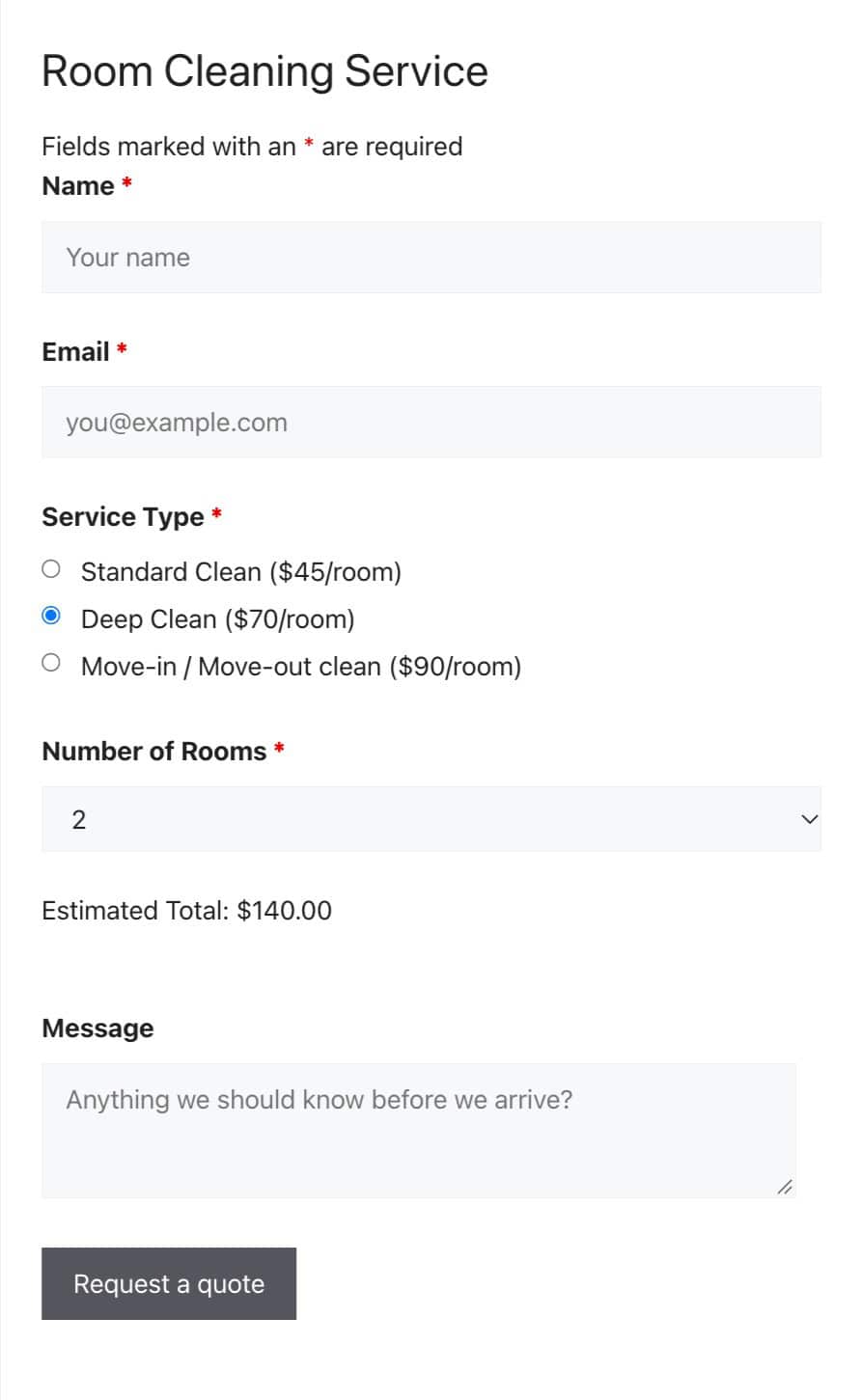
Ninja Forms is a free drag-and-drop form plugin with paid add-ons. It suits quote and estimate forms because calculations are part of the free plugin, which updates its total as visitors choose a service and the number of rooms.
The free plugin is generous. It includes calculations, signature, star rating, date and repeatable fields, built-in templates, unlimited email notifications, and saved submissions you can view, edit and export to CSV. Spam protection is built in as well, with a honeypot on every form plus options like reCAPTCHA, hCaptcha and Cloudflare Turnstile. Ninja Forms also has an AI form builder, which works once you connect an AI provider.
| Feature you need | Ninja Forms (free) | Add-on |
|---|---|---|
| Calculations, signature, star rating and date fields | Yes | Not needed |
| Saved submissions with CSV export | Yes | Not needed |
| Multi-step forms | No | Multi Step Forms (official) |
| Conditional logic | No | Conditional Logic (official) |
| File uploads and payments | No | File Uploads, Stripe and more (official) |
Notes: The Ninja Forms AI form builder only works after you connect an AI provider in WordPress, so set that up first if you want to generate forms from a description.
Growing Everest Forms for longer applications

Everest Forms is a drag-and-drop form plugin with a free version and Everest Forms Pro. It suits job applications and other forms that collect files, like the Pixel Harbor application shown here, which takes a resume upload.
The free version includes file and image uploads, saved entries, admin approval for entries and survey fields. It also has an AI form builder that needs no API key, plus spam protection with a honeypot, Akismet, a submission delay and CAPTCHA options. Styling in the free version comes from preset styles and custom CSS.

| Feature you need | Everest Forms (free) | Everest Forms Pro with add-on |
|---|---|---|
| AI form builder, file uploads, saved entries | Yes | Yes |
| Multi-step forms | No | Multi-Part Form |
| Conditional logic | No | Conditional Logic |
| Payments | No | Stripe and PayPal Standard |
| Detailed styling controls | Preset styles and custom CSS | Style Customizer |
Connecting WS Form to your other tools

WS Form is a form plugin with a free version, WS Form LITE, and WS Form PRO. It suits long questionnaires because WS Form LITE can split a form into tabs, like the three-tab Northlight Marketing onboarding form shown here. Our WS Form guide covers the setup.
WS Form LITE includes multi-tab forms, single-click templates, a visual form styler, unlimited emails and translation support. It saves submissions once you add the Save action to a form, and you can export them to CSV. Next and Previous tab buttons, along with date and file upload fields, are part of WS Form PRO.

| Feature you need | WS Form Lite (free) | WS Form PRO with add-on |
|---|---|---|
| Multi-tab forms, templates, visual form styler | Yes | Yes |
| Conditional logic and calculated fields | No | Yes |
| Submissions sent to Google Sheets | No | Google Sheets add-on or Form Vibes Pro |
| New contacts sent to Mailchimp | No | Mailchimp add-on |
| PDF copies of submissions | No | PDF add-on |
Important: WS Form LITE does not save submissions until you add the Save action to the form. Without it, submissions are not kept on your site.
The add-ons Gravity Forms users rely on

Gravity Forms is a premium form plugin with no free version, sold as Basic, Pro and Elite licenses. It suits paid registrations and other complex forms, like the two-page WP Ajmer Meetup registration shown here. Our guide to configure forms in Gravity Forms covers the setup.
Every license includes multi-page forms, conditional logic, file uploads and pricing fields such as product, quantity and total, so this registration form, with its dietary field that appears only for dinner tickets, works on any license. Higher licenses unlock more official add-ons: Basic includes email marketing add-ons like Mailchimp and HubSpot, Pro adds payment add-ons like Stripe and Square, and Elite adds User Registration, Survey and Signature.

| Feature you need | Included with Gravity Forms | Add-on |
|---|---|---|
| Multi-page forms, conditional logic, file uploads | Every license | Not needed |
| Card payments | Pro license and up | Stripe add-on (official) |
| Surveys and signatures | Elite license | Official add-ons |
| PDFs from form entries | No | Gravity PDF (free) |
| Submissions saved as custom post types | No | Gravity Forms + Custom Post Types (free) |
Notes: The Gravity Forms Elite license includes every official add-on and covers unlimited sites, which is worth knowing if you need several add-ons.
Getting more out of Elementor Pro forms

Elementor Pro includes a Form widget that you design directly inside your Elementor pages. It suits lead forms that need to match your page design, like the two-step Brightside Web form shown here.
The Form widget supports multi-step forms through its Step field, an Acceptance field for consent, and spam protection with reCAPTCHA or Honeypot. After a submission, it can send emails and redirect visitors, and on plans that include them, it can also store submissions and connect to tools like Mailchimp. Saved form submissions and form integrations are not part of every Elementor Pro plan.

| Feature you need | Elementor Pro Form widget | Add-on |
|---|---|---|
| Multi-step forms and an acceptance field | Yes | Not needed |
| Spam protection with reCAPTCHA or Honeypot | Yes | Not needed |
| Saved submissions | On plans that include form submissions | Form Vibes (works on every Elementor plan) |
| Conditional logic | No | Conditional Fields for Elementor Form (free) |
| Create or update posts from a form | No | Addon Elements for Elementor Pro |
Notes: Elementor Pro forms appear in Form Vibes after they receive their first submission since Form Vibes was installed. Send a test entry through each form to see it listed.
Pushing Bricks Builder forms further

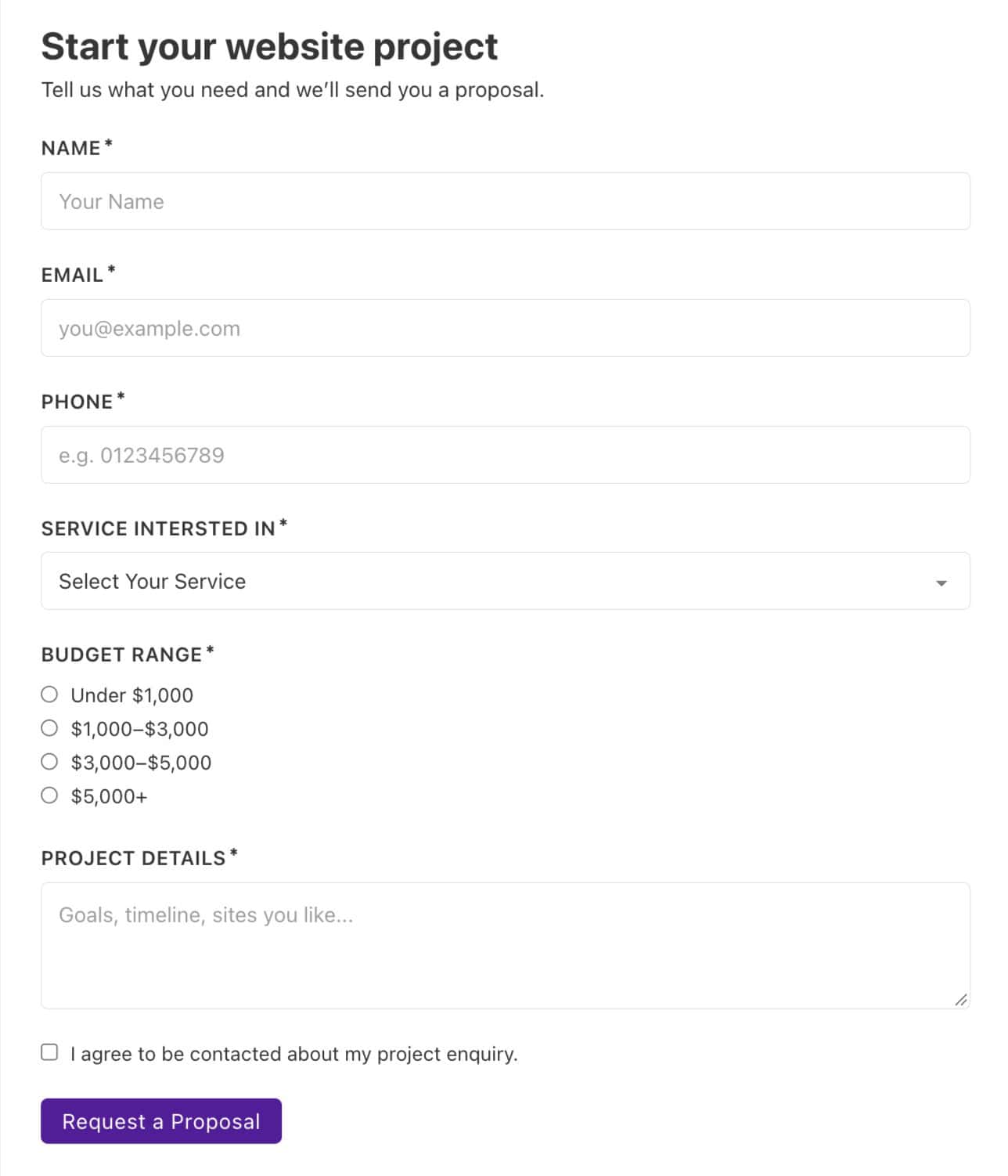
Bricks Builder includes a Form element built into the builder, so your forms use the same design controls as the rest of your Bricks site. It suits lead, signup, login and registration forms, like the Brightside Web lead form shown here. Our guide to build and configure a Bricks form walks through every setting.
The Form element covers far more than contact forms. It supports text, email, select, checkbox, radio, number, date, file upload, hidden and password fields, with actions such as email, redirect, Mailchimp, SendGrid, webhooks, user login, registration and password reset. Since Bricks 2.4, form actions can also run conditionally, and spam protection comes from reCAPTCHA v3, hCaptcha or Cloudflare Turnstile.
| Feature you need | Bricks Form element | Add-on |
|---|---|---|
| File upload, date and password fields | Yes | Not needed |
| User login, registration and password reset forms | Yes | Not needed |
| Conditional actions | Yes | Not needed |
| Saved submissions | Yes, once storage is switched on | Form Vibes for filtering, analytics and CSV export |
| Multi-step forms | No | Bricksforge (Pro Forms) or Max Addons (Advanced Form Fields) |
Important: If your Bricks Builder forms have been running without the Save submission action, Bricks Builder emailed those entries but never saved them on your site.
Going beyond Beaver Builder’s Contact Form module

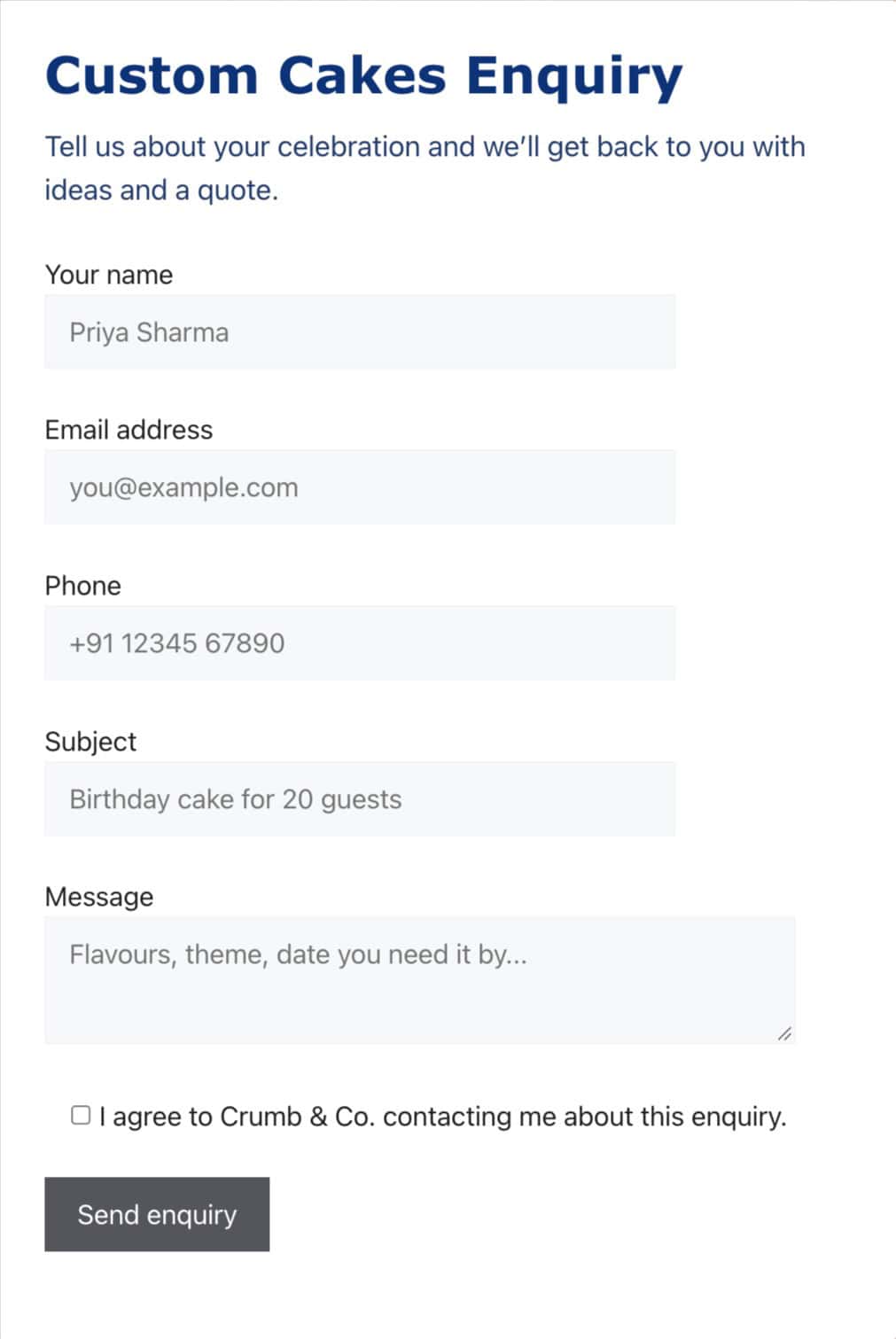
Beaver Builder includes its own form modules, so you can add a form to any layout without a separate form plugin. It suits contact, signup and login forms, like the Crumb & Co. enquiry shown here, and with the official Beaver Builder AI plugin it can also handle custom multi-step forms.
The Contact Form module is a simple, single-step email form with optional name, subject, email, phone and message fields, a terms checkbox, reCAPTCHA, and a confirmation message or redirect after submission.

| Feature you need | Beaver Builder | Add-on |
|---|---|---|
| Contact form with name, email, phone, subject and message | Yes, Contact Form module | Not needed |
| Newsletter signup and login forms | Yes, Subscribe Form and Login Form modules | Not needed |
| Multi-step forms, questionnaires, surveys and quizzes | No, not in the core modules | Beaver Builder AI (official, needs Beaver Builder 2.11 or later) |
| File uploads | No | A form plugin placed inside your layout |
| Styling forms from other form plugins | No | PowerPack for Beaver Builder or Ultimate Addons for Beaver Builder |
Notes: Beaver Builder AI needs Beaver Builder 2.11 or later, and current Beaver Builder customers download it from their account page.
Is there one add-on that works with all of them?
Yes. Form Vibes works with all nine form builders in this guide and brings their submissions into one WordPress dashboard. This helps most when a site uses more than one form builder, or when a builder does not keep entries where you need them, as with Contact Form 7 and WPForms Lite.
The free version of Form Vibes includes filtering, analytics and CSV export. Form Vibes Pro adds submission status, notes and role management for teams, plus the option to send submissions to Google Sheets automatically.
Which form plugin add-ons should you start with?
Start with the gap your form actually has. Check whether the paid version of your form builder already covers it, then add one add-on for that gap, whether it is multi-step forms, conditional logic, an integration or a place to keep your submissions.
Frequently Asked Questions
Common questions about form builders and their add-ons.
Can I save Contact Form 7 submissions without an add-on?
No. Contact Form 7 does not store submitted messages, and it only sends them by email. To keep a copy of every submission, add a storage add-on such as Form Vibes, which saves Contact Form 7 submissions in your WordPress dashboard.
How do I add multi-step forms to Contact Form 7?
Contact Form 7 has no built-in multi-step option, so you need an add-on. Webheadcoder Multi-Step Forms for Contact Form 7 splits a form across steps and keeps entered data between them, and it is free on WordPress.org.
How do I add conditional logic to Elementor Pro forms?
Elementor Pro’s Form widget does not include conditional logic for fields. The Conditional Fields for Elementor Form add-on lets you show or hide fields based on other fields’ values, and it works with Elementor Pro and Hello Plus forms.
Do official form add-ons work with the free version of a form plugin?
Often not. WPForms add-ons need a Pro license or higher, WS Form add-ons need WS Form PRO, and Everest Forms add-ons need Everest Forms Pro. Before installing any add-on, also check its last update date and recent reviews.

Start With Your Submissions
Install Form Vibes free and see every entry from your form builders in one dashboard.




Leave a Reply