Before each major release, we release a beta version to be tested by our actual users. Beta releases are available to all users who have an active subscription to the plugin.
Note: Make sure that you are using it on a Development/Staging site for testing the beta version. Never use it on a live site. The beta release might have some bugs and issues that can affect your live site.
To test the beta release, follow the steps listed below:
- Log in to your WordPress Admin dashboard.
- Navigate to Form Vibes → Account.
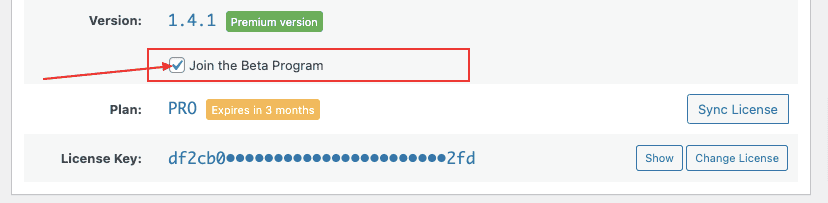
- Under the Account Detail page, look for the Versions option and check the Join the Beta Program option.
- Click the OK button when prompted.
- Now, when a new beta version is released for testing, you’ll have the option to update it.
Alternatively, log in to the site and download the beta version from the Download section.
If you encounter any issues, try to provide us with details about the issue so that we can recreate it on our end. You can send us your valuable feedback by email at [email protected].