Once the user submits the form, its data is captured and displayed under the Form Vibes Submission page. But if you feel the need to make some changes in the submitted form data, you can easily edit the information directly.
To edit the user-submitted data:
- Go to Form Vibes >> Submissions.
- Select the Form whose data you want to edit. All the captured submissions are displayed tabularly.
- To edit the entries, toggle the Quick Edit icon on the Form Vibes setting toolbar.
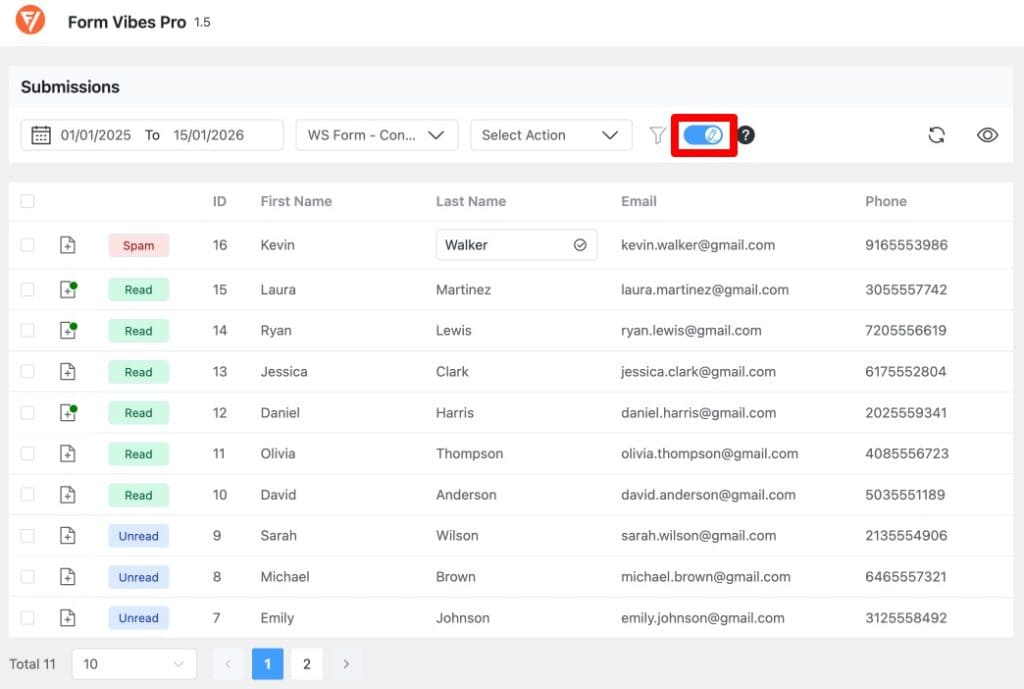
- Next, click on the field data you want to edit. Make the desired change and click on the tick icon. That’s it! The form information is updated.

Note: Some information cannot be edited, like IP Address, Submission Date, Page URL, and User-Agent.