If you want to send the form Entry ID in the email notification when the user submits the form, you need to configure the form Email settings:
Customization For Elementor Form
- Go to the Elementor Form widget of the respective form.
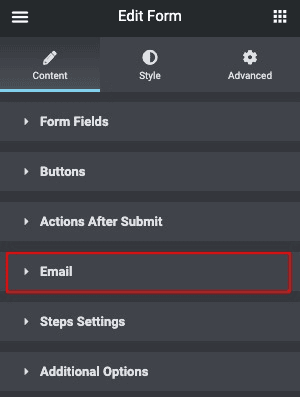
- In the Form Widget, click on the Email options.
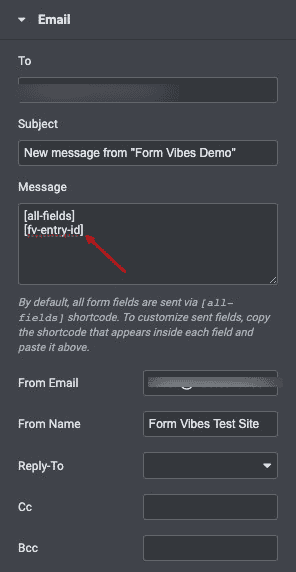
- Next, under the Message field, to send entry ID with the mail, enter the Form vibes shortcode [fv-entry-id]. After that, save your changes.
Customization For Contact Form 7
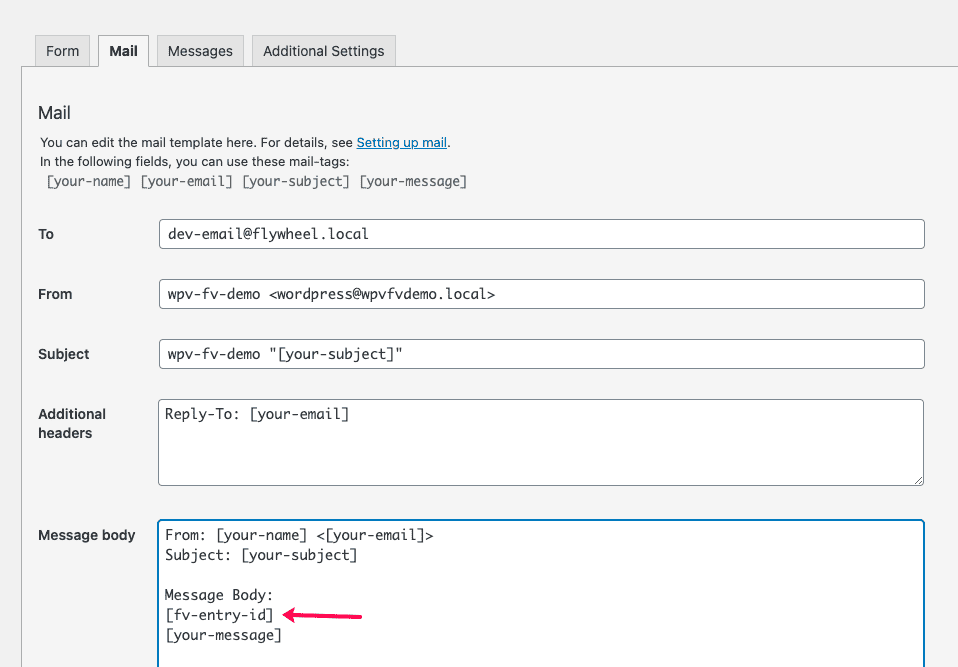
Under the Contact Form 7 Mail configuration settings, you can add the shortcode [fv-entry-id] in the Subject field or under the message field option.
When the user submits the form, the site admins will get the form submit notifications along with the EntryID.