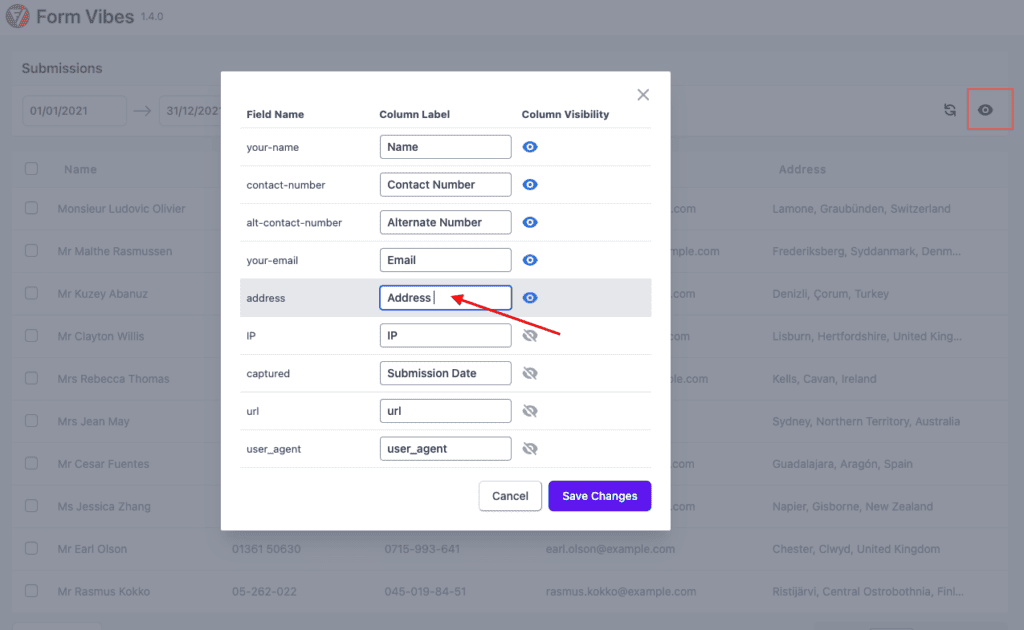
In Form Vibes, each Table Column comes with a Default Column Name. So some Columns might not have your desired Column Name.
For Changing Columns Names, Please Follow below steps:
- Click on the View Button to Open the View Pop-Up window.
- Enter your desired Column Name in the Text box (You will see an immediate result in your Table Columns Name).
- Click on the Save Changes button to permanently save changes.