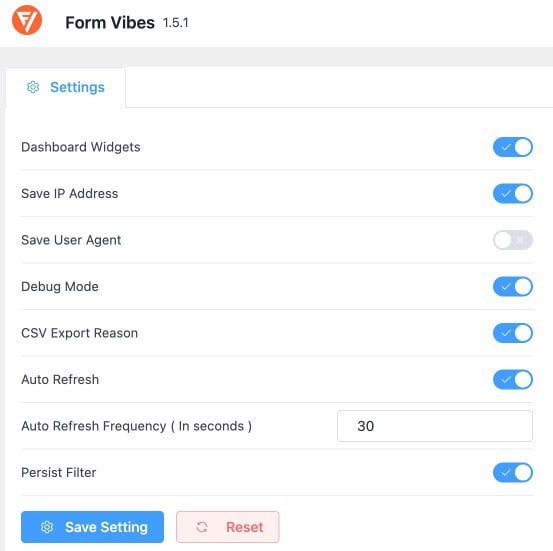
The settings page allows you to manage advanced Form Vibes settings configurations.
To reach Form Vibes Settings.
Go to Form Vibes → Settings in the WordPress Admin menu.
Different configuration options are available to manage Form Vibes settings.
- Dashboard Widgets: It is enabled by default; it lets you add Dashboard Widgets in WordPress.
- Save IP Address: The Save IP Address will let you decide whether you want to save the user’s IP Address or not.
- Save User-Agent: Enable it if you want to save browser user agent information in Form Vibes.
- Debug Mode: The debug mode allows you to view the form Id along with the form name. You can enable or disable it accordingly.
- CSV Export Reason: Enable it if you want to specify the reason for the CSV export.
- Auto Refresh: Enable it to set the frequency for the automatic refresh.