On the Form Vibes Submission page, you will notice a default status marked corresponding to each entry.
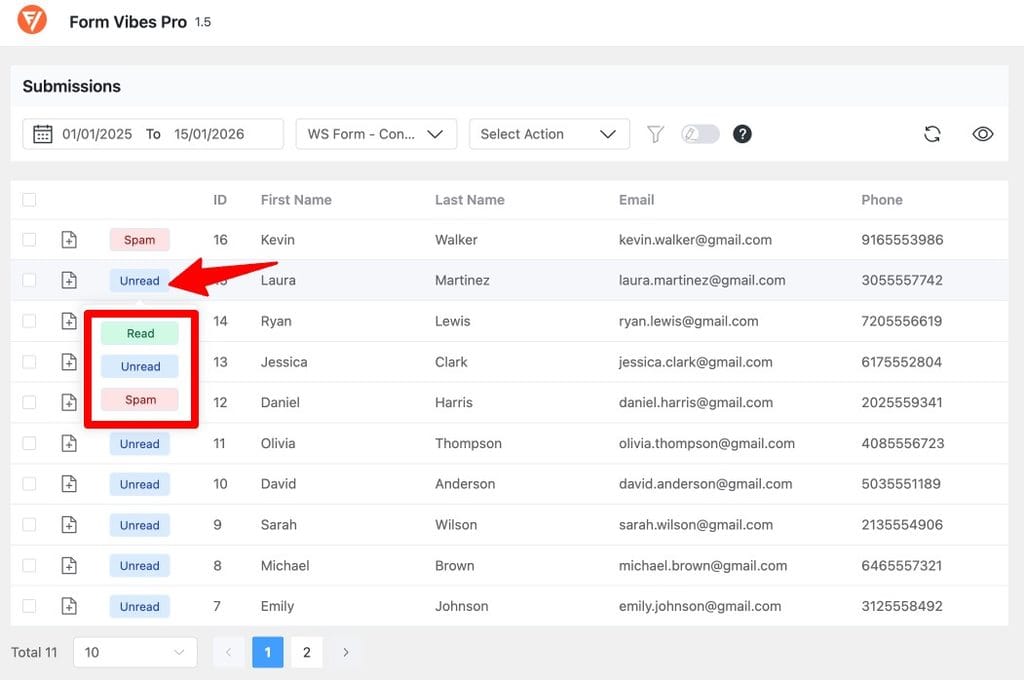
You can easily mark the entries as Read, Unread, and Spam. This will help you to filter the entries if you are looking for specific ones.
To set an individual entry status, click on the Status button next to the submission and set its status accordingly.
Note: To mark submissions statuses, make sure that you have enabled the Status feature in the Form Vibes >>Settings page.
Bulk Actions
If you want to mark the status for multiple entries all at one go:
- Select multiple entries, click on the Action button on the toolbar, and select the Status option.

- Next, set the Status for the entries by clicking on the drop-down and then click on the Apply button.
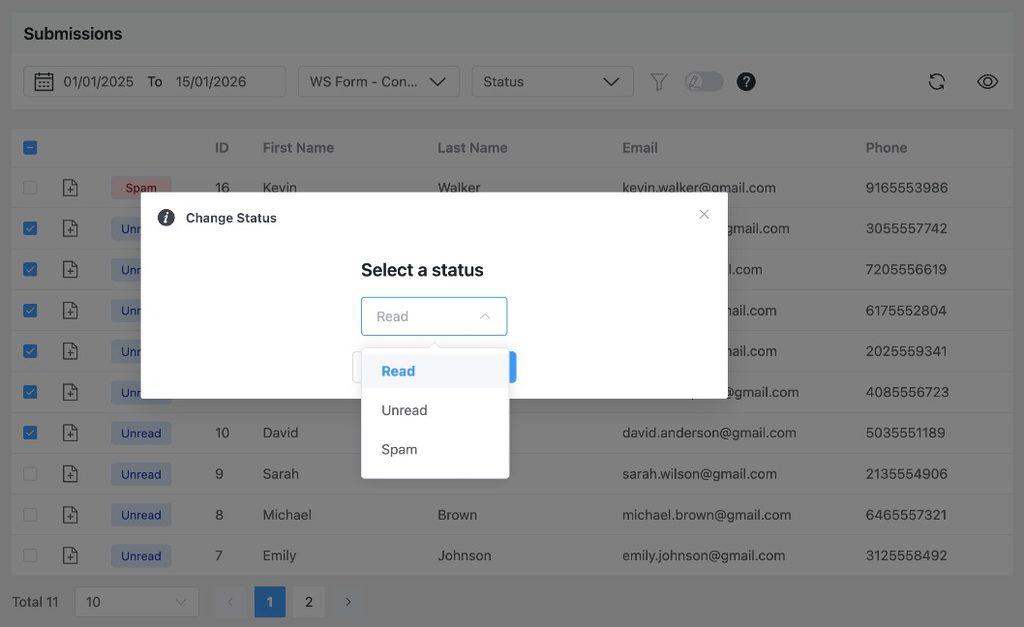
- You will notice all the selected entry statuses are updated.
