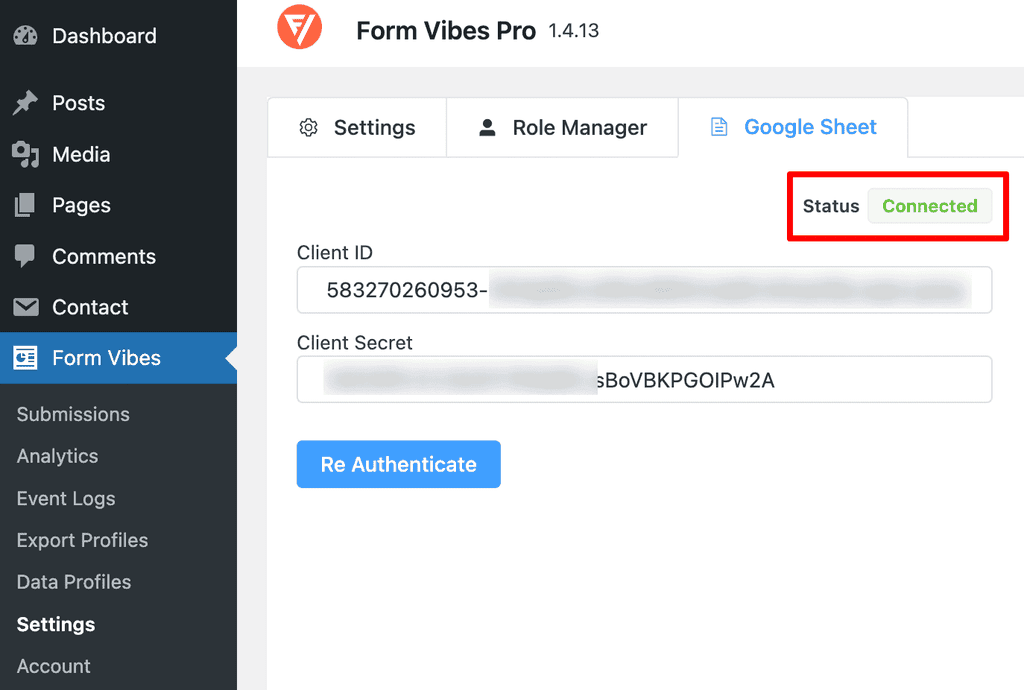
Follow the below steps to generate a Client Id and Client Secret Key.
- Go to Google Cloud Console and log in with your Gmail account details.
- Now create a new project (or choose an existing one), enter the project name, and click on Create.
- Select your project from the dropdown at the top of the page.
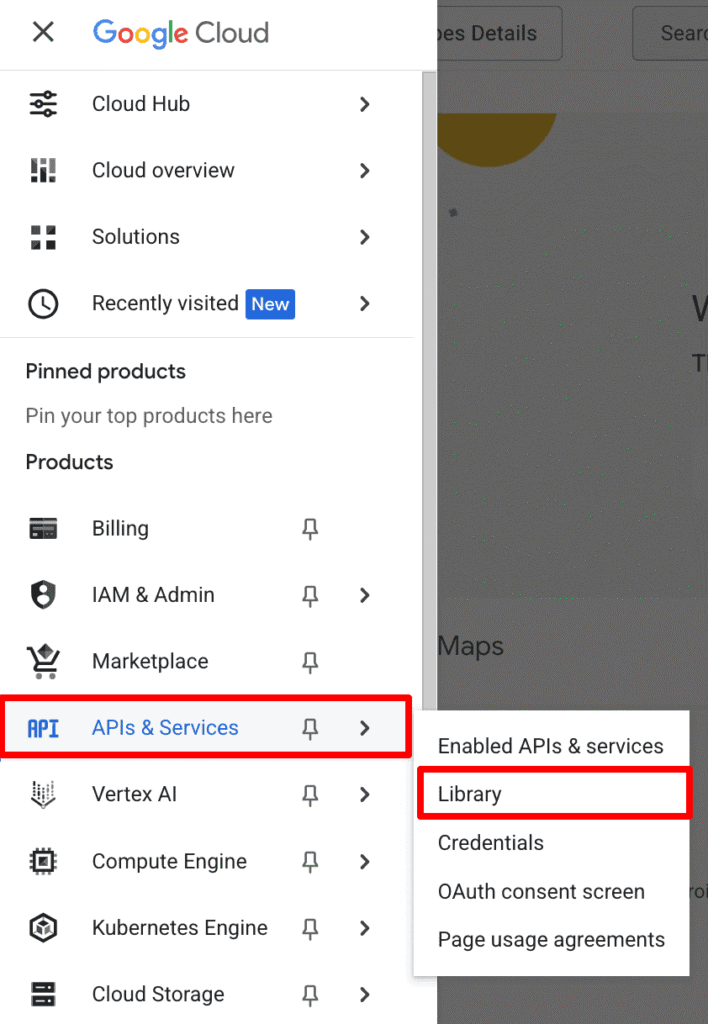
- From the left menu, go to API & Services -> Library.
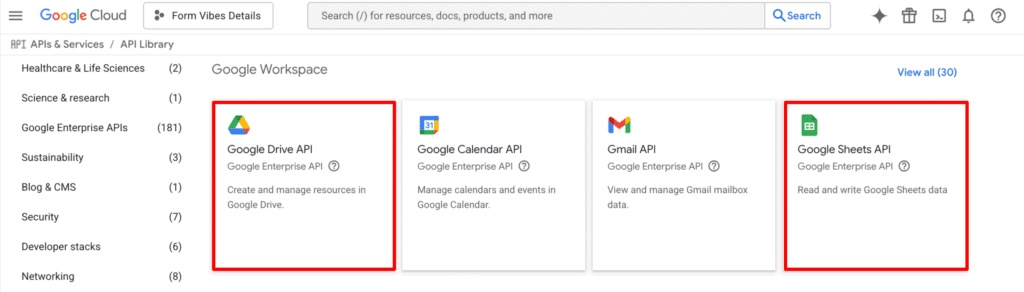
- Search for “Google Sheets API” and “Google Drive API”, open each one, and click Enable to turn them on.
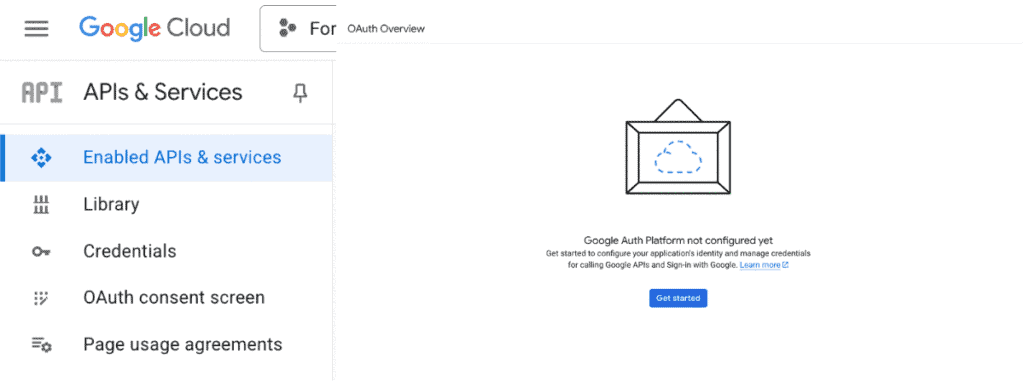
- On the left menu, click on OAuth Consent Screen and then click Get Started.
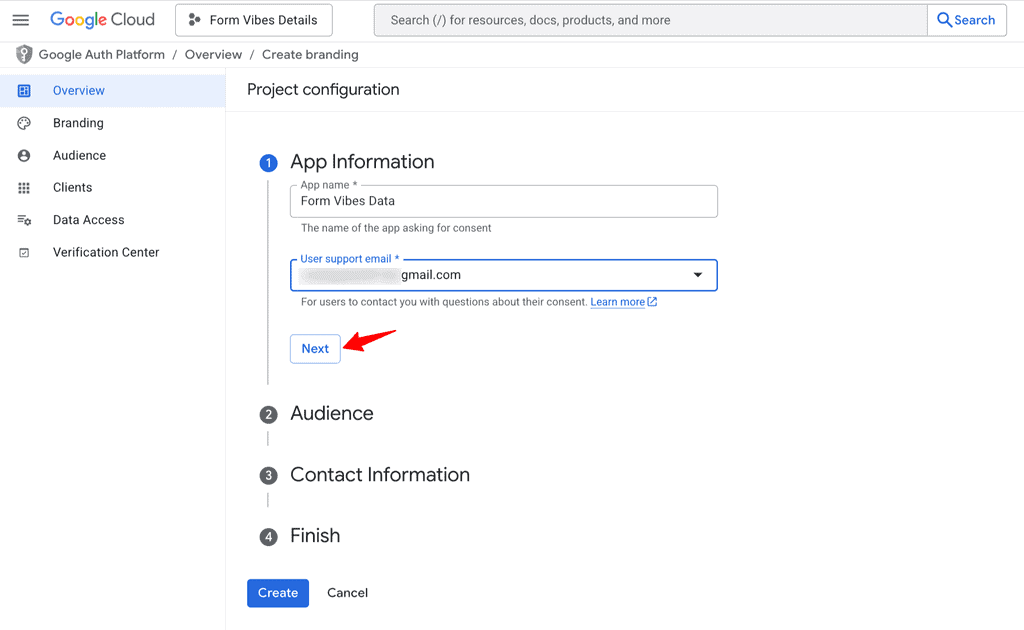
- Add your App name and Support email, then click Next.
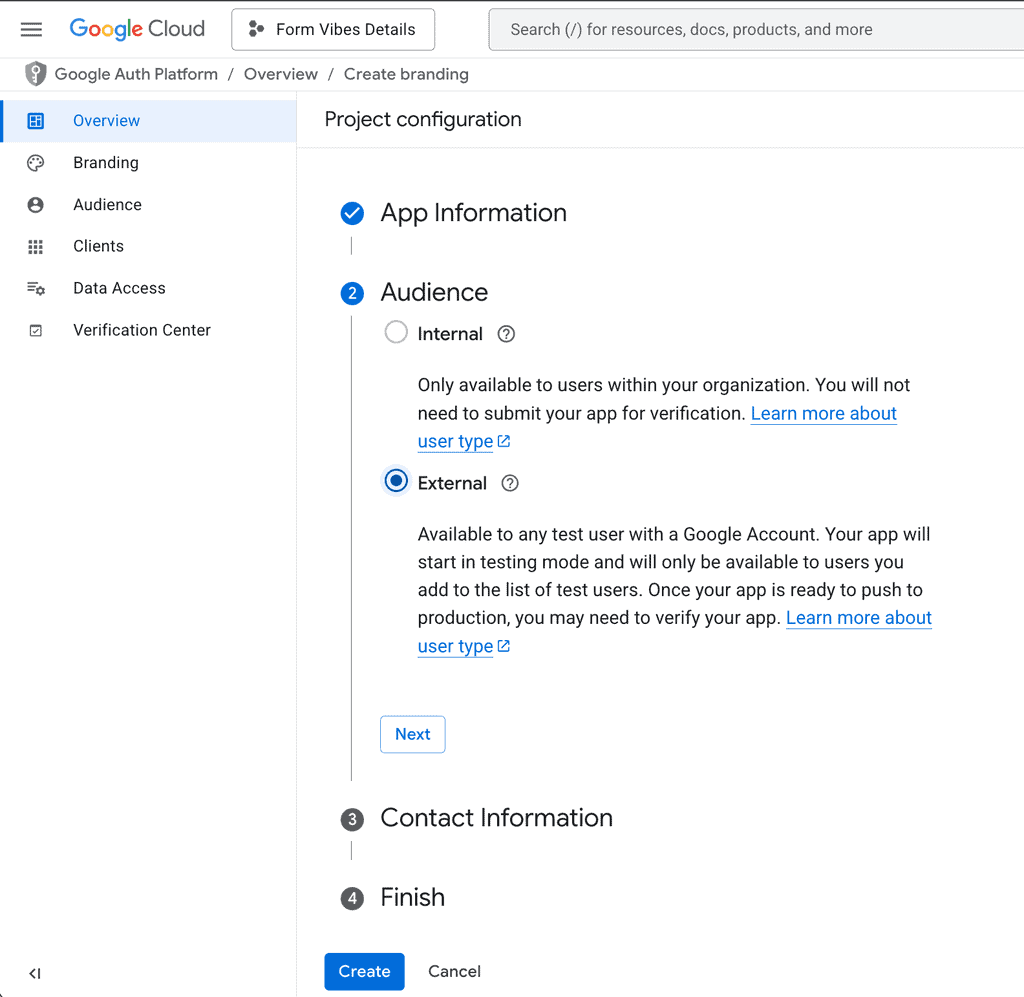
- Choose External as the audience.
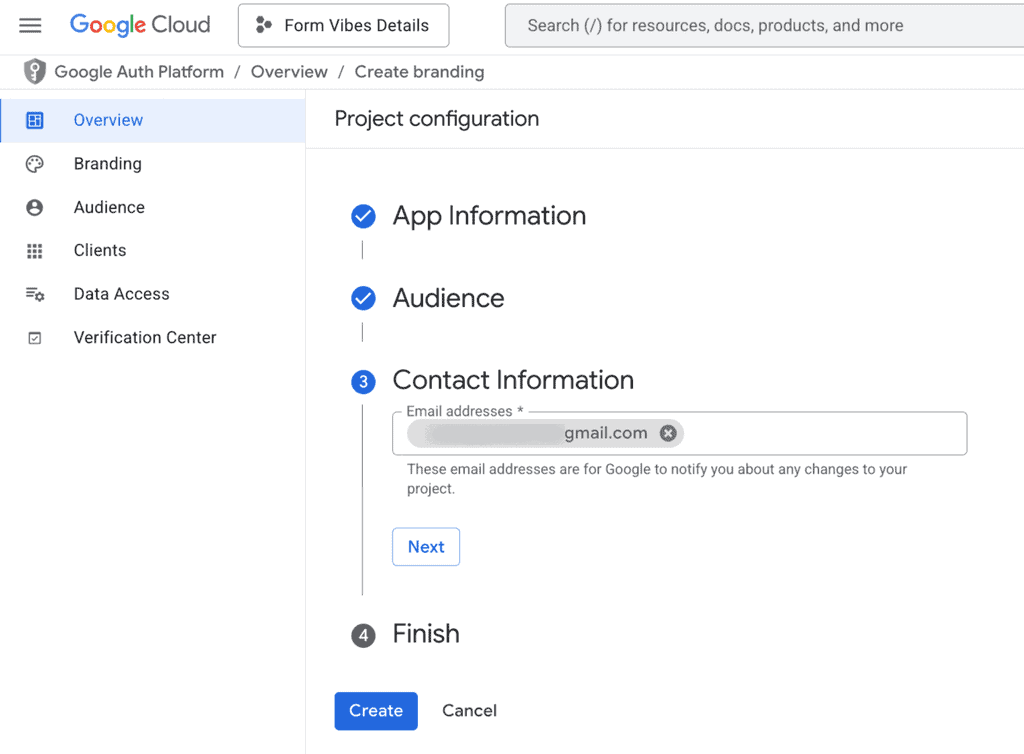
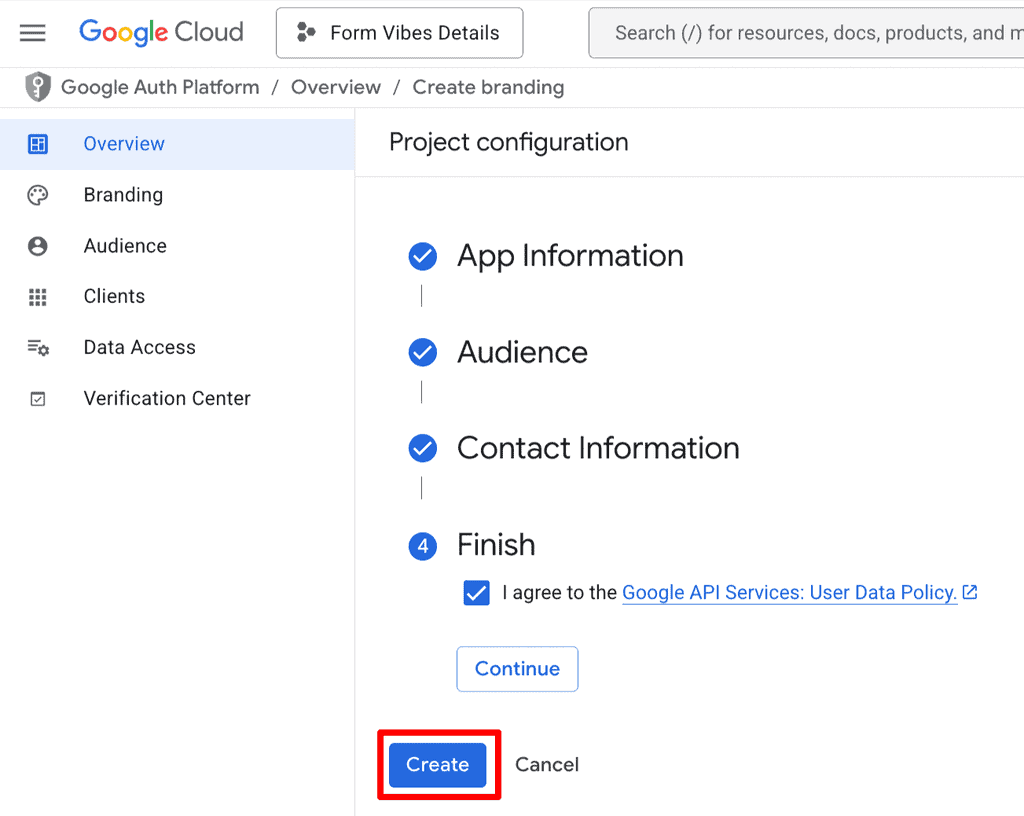
- Add your Contact info, and agree to the terms.
- Then, click Create.
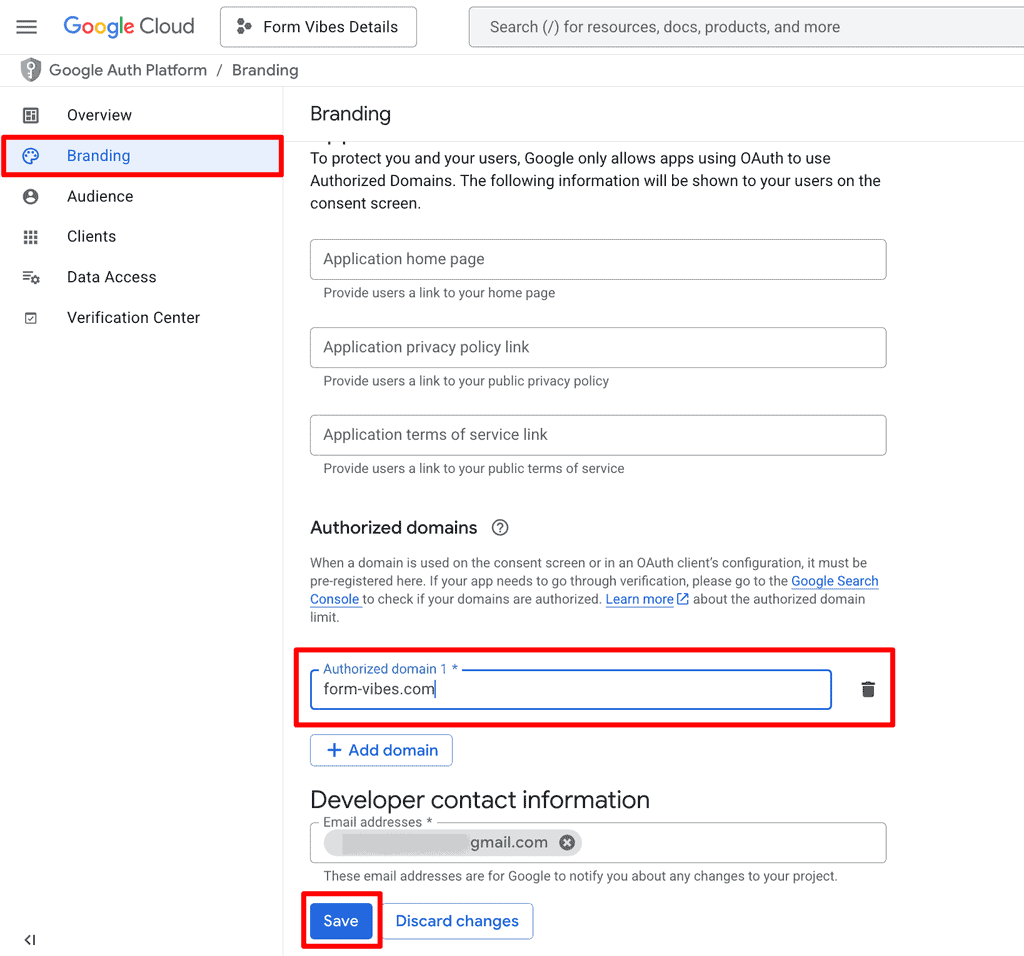
- On the left menu, click Branding, scroll down to Authorized Domains, and click Add Domain.
- Copy the URL from Form Vibes -> Settings -> Google Sheets (Step 8) and paste it here. This URL is generated automatically. Click Save.
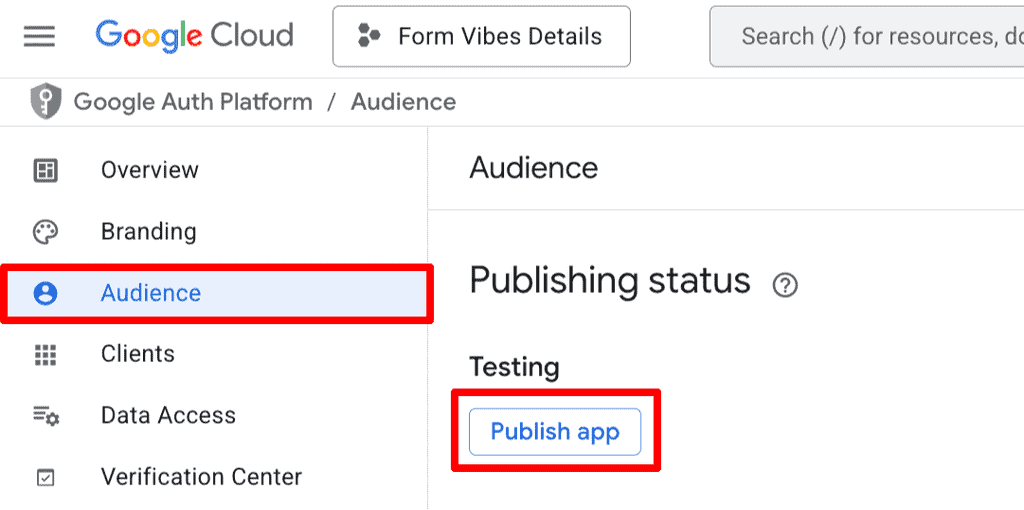
- Go to the Audience menu in the sidebar and click Publish App.
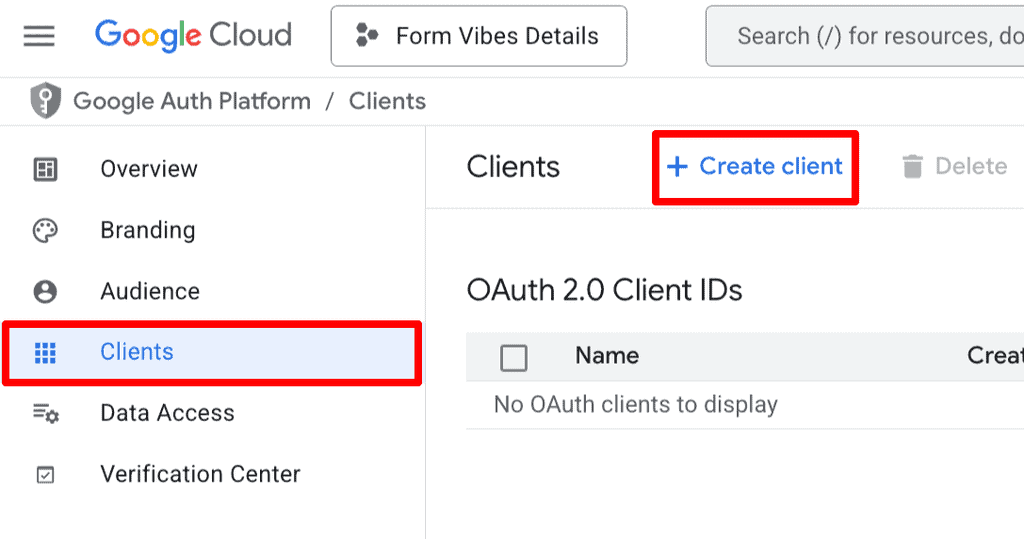
- Now, go to the client option in side menu and click on the Create Client button.
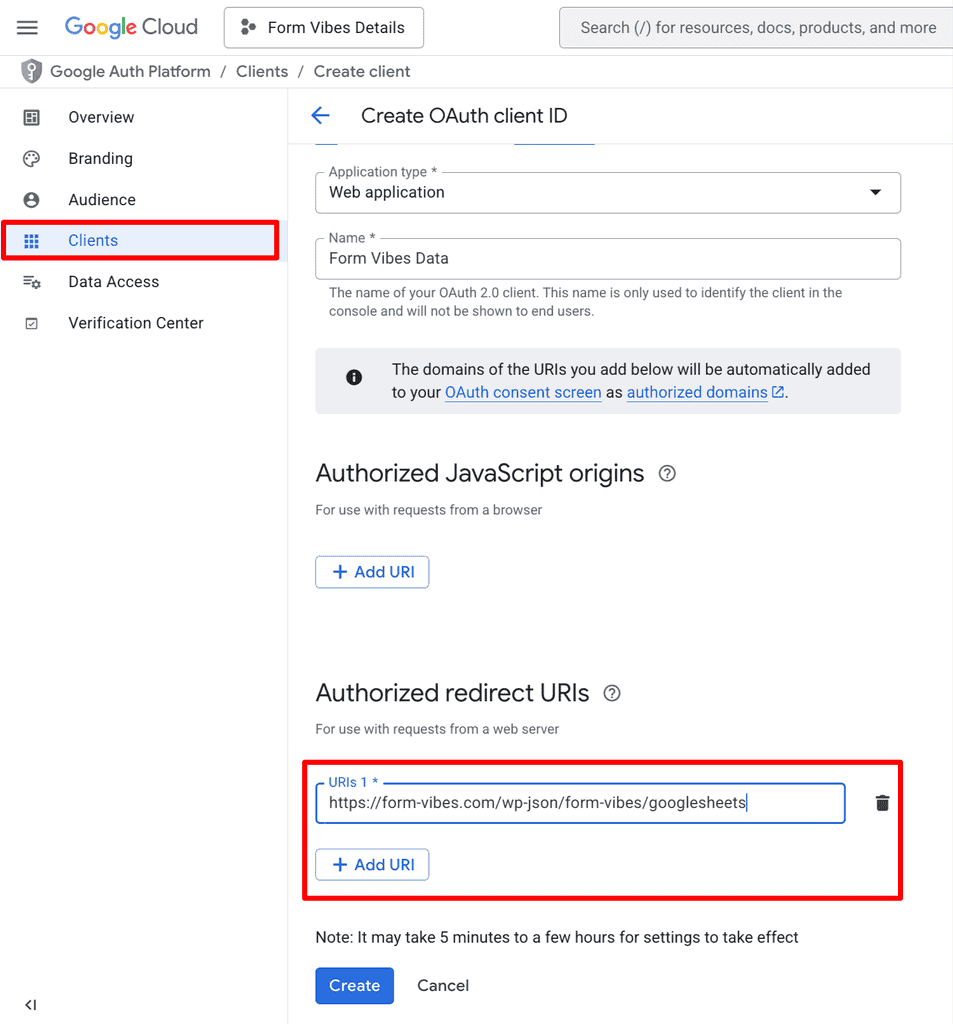
- Choose your App type and enter a name.
- Copy the Authorized Redirect URL shown in Form Vibes -> Settings -> Google Sheets -> Step 13.
- Then click on Add URL, paste the copied link, and click Create.
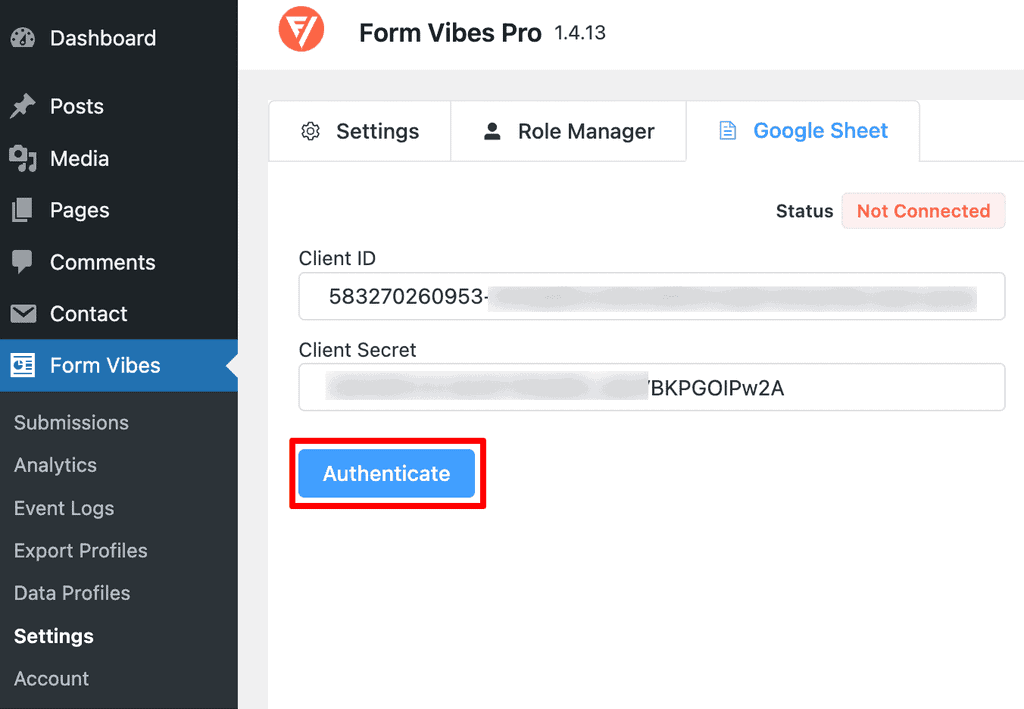
- A popup will appear — copy the Client ID and Client Secret and paste them into the correct fields in Form Vibes.
- Click the Authenticate button in Form Vibes.
- Then, you’ll be redirected to log in with your Gmail account.
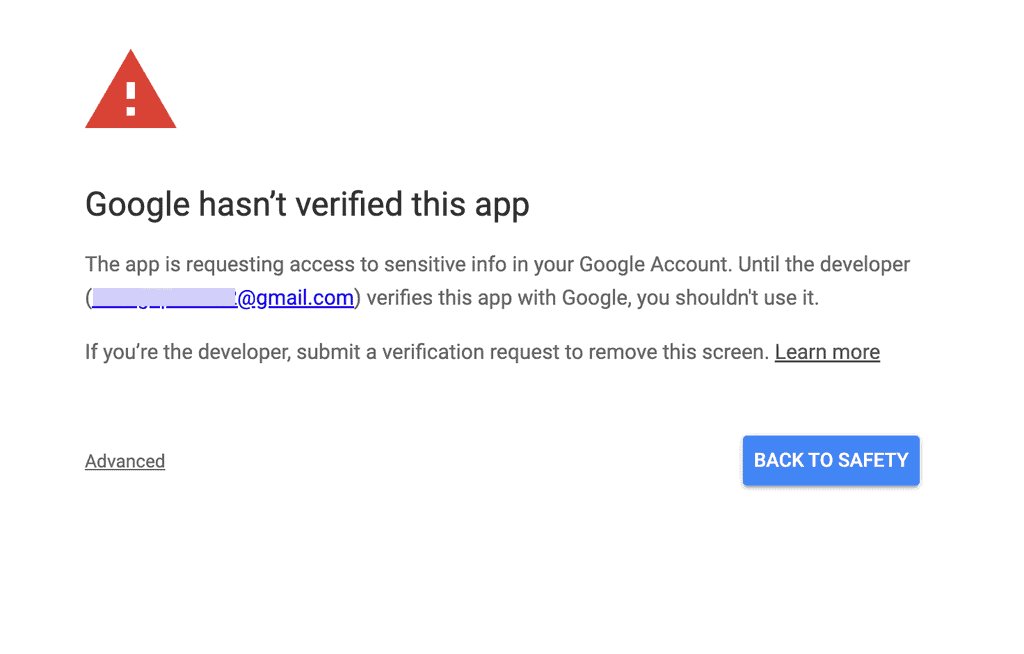
- If you see a “App is not verified” warning, click Show Advanced and then Go to App.
- Approve all requested permissions.
- Once done, your Form Vibes status will show Connected.