Form Vibes Free vs Pro: Which Plan Do You Actually Need?
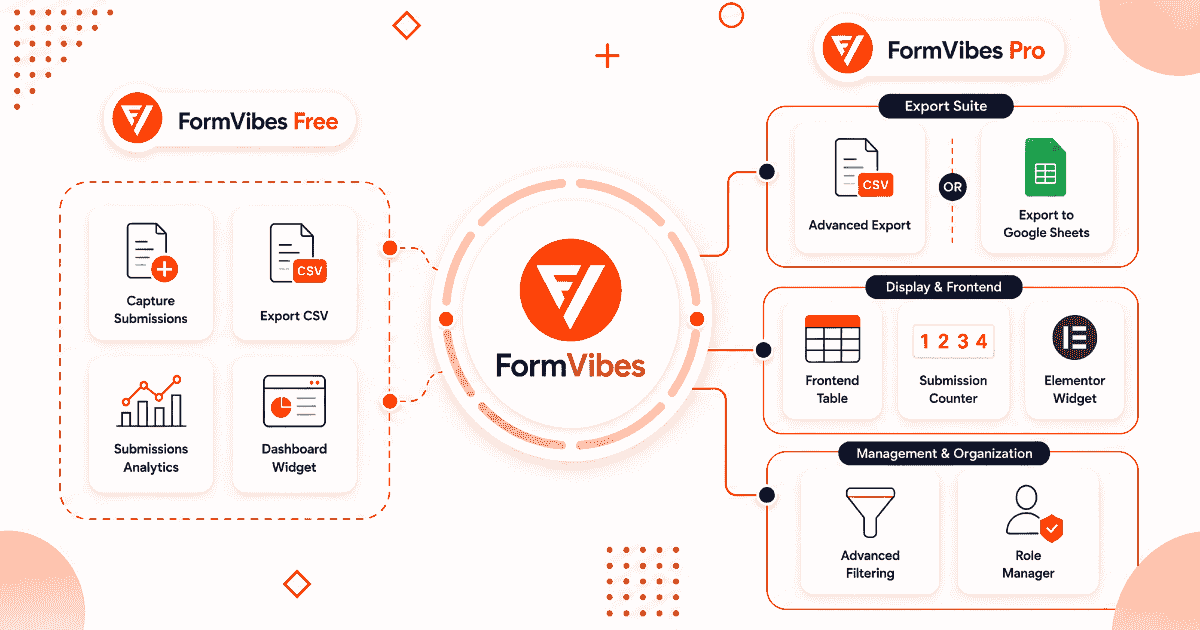
Form Vibes started as a free plugin that solved one problem – WordPress form plugins either stored nothing natively or buried submissions in hard-to-manage dashboards. Form Vibes captured every submission to a unified database and gave you a single place to view them, regardless of which form plugin built the form.
The free version still does all of that. Form Vibes Pro extends it with a set of features built for sites where form submissions are business-critical teams reviewing leads together, recurring exports that need to run on a schedule, submissions that need to reach a Google Sheet automatically, and workflows where accountability over who changed what matters.
This article covers Form Vibes free vs Pro – what each plan includes, how every Pro feature works, and which plan fits your site.
What Does the Free Version Include?
Before covering what Pro adds, it helps to be clear about what the free version already provides — because it covers more than most free plugins offer.
Unified submissions dashboard – Whether you’re using Contact Form 7, WPForms, Gravity Forms, Elementor Forms, Everest Forms, Ninja Forms, WS Form, Bricks Builder, or Beaver Builder, you can quickly switch between forms and review their submissions in clean, sortable tables from one centralized dashboard.
Submission storage – every entry is saved to your WordPress database automatically. No configuration required.
Date range filtering – filter submissions by Today, Last Week, Last Month, Last Quarter, or a custom date range. Filter selections persist between sessions.
Analytics dashboard – submission volume charts showing daily, weekly, or monthly trends for each form. The only way to see whether your forms are getting more or fewer submissions over time.
Dashboard widget – a quick submission count and trend line on the main WordPress admin screen every time you log in.
Quick CSV export – download all submissions for any form as a CSV file in one click. The free version exports up to 1,000 entries per export.
Event Log – Every change made to a submission – quick csv export reason is recorded in the Event Log with a timestamp and the username of who made the change.
The free version of Form Vibes is available at no cost from the WordPress plugin directory. Everything listed above is included without a paid plan.
What Does Form Vibes Pro Add?
Form Vibes Pro adds eight features on top of the free plan. Each one is built for a specific workflow gap that the free plan does not cover.
Advanced Field-Level Filtering
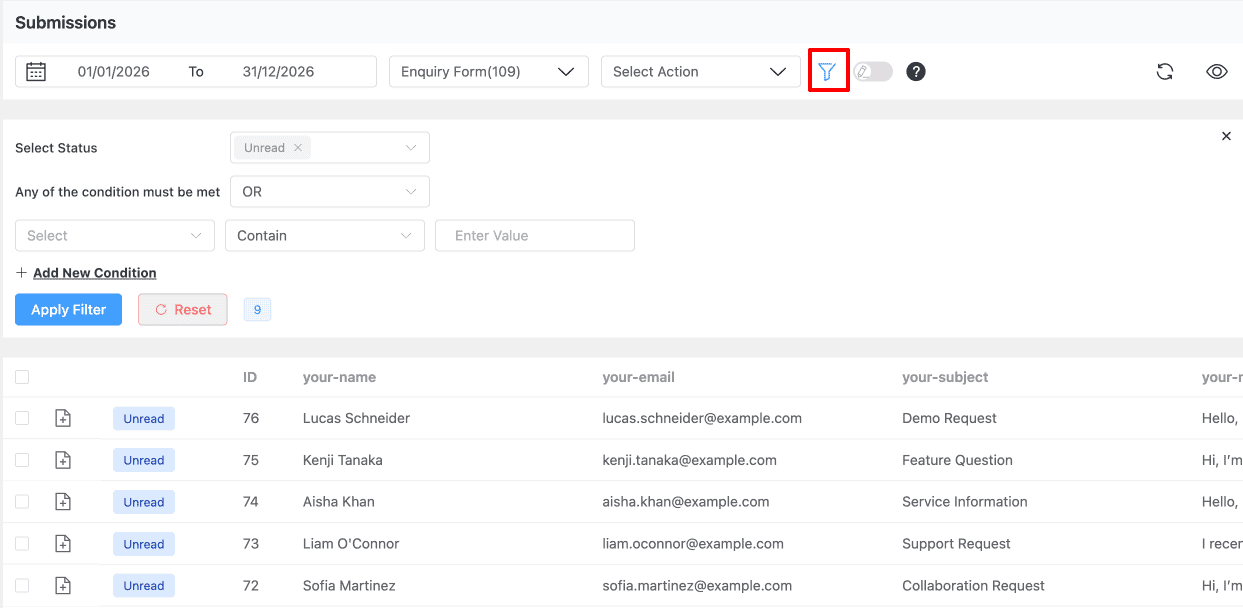
The free version filters submissions by date range. Pro adds field-level filtering with AND/OR logic – apply multiple conditions to narrow your submission view precisely. For example: show only submissions from the last 30 days where the service field equals “Website Design” and the budget field is above a certain value.
This is the feature that makes Form Vibes Pro genuinely useful for lead qualification. Instead of exporting everything and filtering in a spreadsheet, you filter inside WordPress before the export happens.
Submission Status
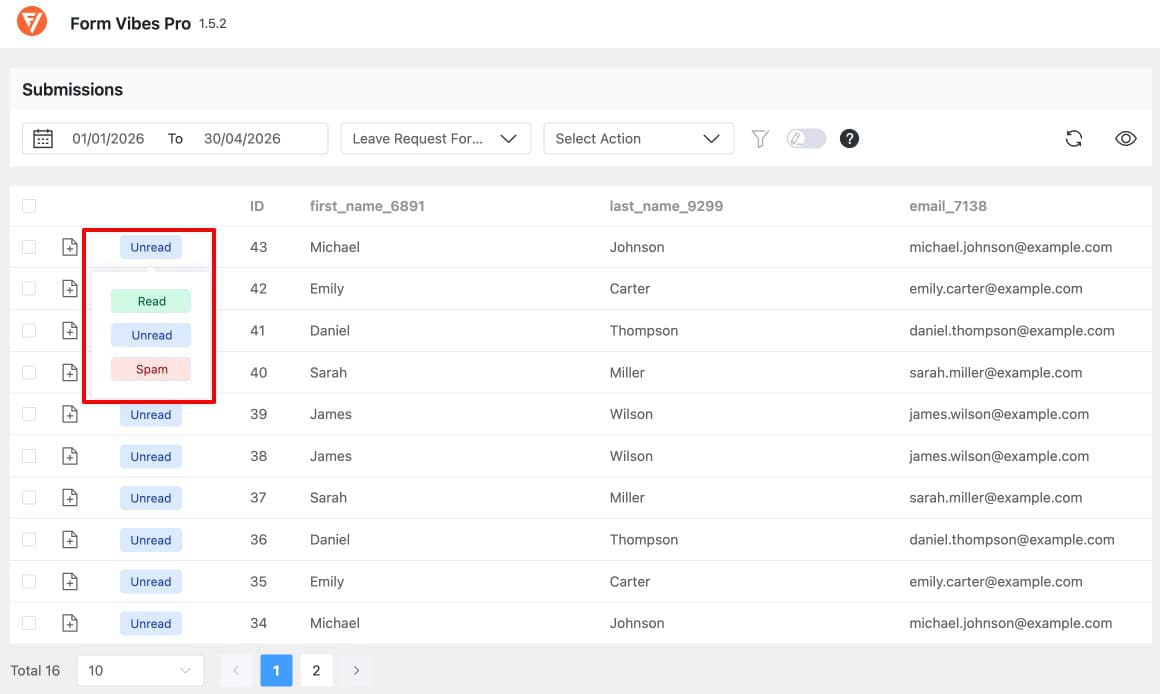
Mark individual submissions as Read, Unread, or Spam. Filter the dashboard by status to work through only the entries needing attention. Mark entries as Read once actioned. Flag suspicious entries as Spam before deciding whether to delete them.
New submissions arrive as Unread by default, your dashboard always shows clearly what has come in since your last review session.
See the full guide: How to Mark Form Submission Status in Form Vibes Pro.
Notes
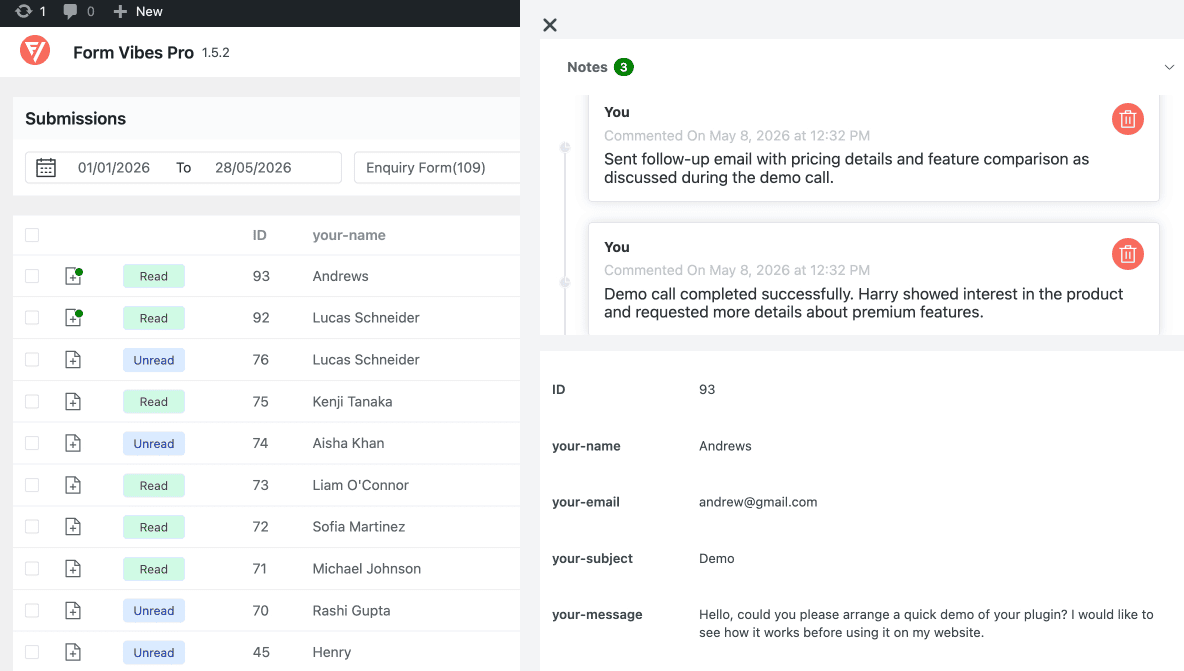
Add internal comments to individual submissions, visible to your whole team inside Form Vibes, never shown to the person who submitted the form. Notes stay permanently attached to the entry they were added to.
Practical uses: “Followed up by email on 12 May”, “Quote sent — awaiting response”, “Duplicate of entry #84”, “Client confirmed — archive after 30 days.”
See the full guide: How to Add Notes to Form Submissions in Form Vibes Pro.
Inline Entry Editing
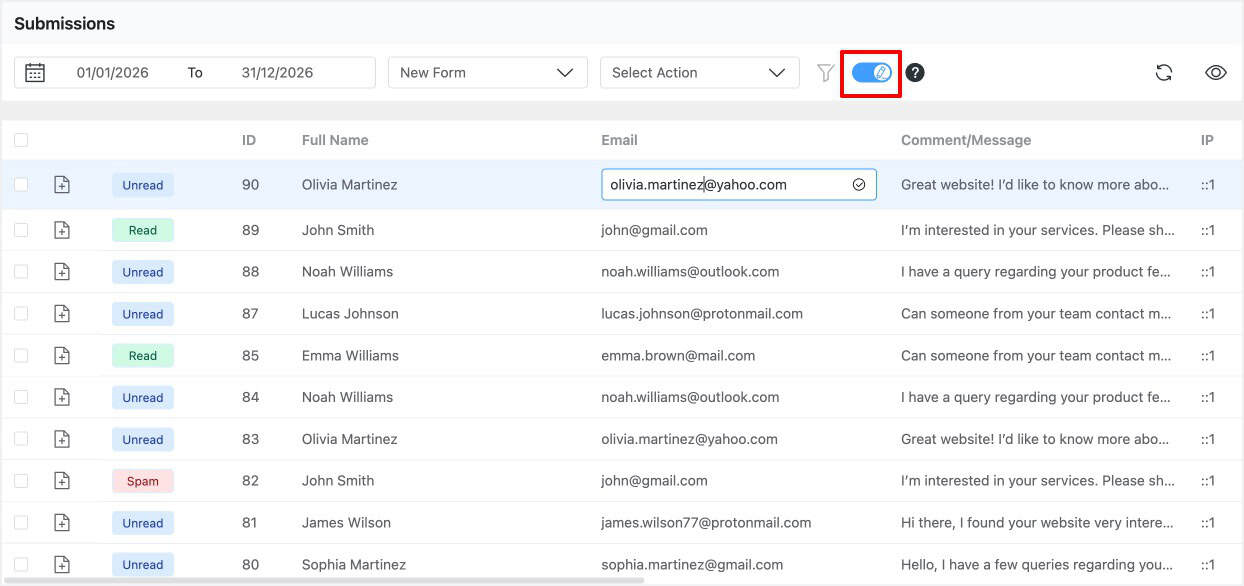
Edit submission data directly from the Form Vibes dashboard. Simply enable the Edit Entry option, open any submission entry, update the field values, and save the changes instantly. Every modification is automatically logged in the Event Log with the timestamp and username, giving you a complete audit trail of what changed and who made the update.
Advanced Export(Export Profiles)
Form Vibes Pro gives you complete control over what gets exported which submissions, which fields, and where the file ends up. Every export is built around a saved Export Profile, so you configure it once and re-run it in one click without touching the settings again.
Export Profiles support two output types: Local Download generates a filtered CSV on demand, and Google Sheet turns the profile into an automatic sync that pushes every new submission to a connected spreadsheet in real time.

It is built around three tabs. The Data Source tab defines which submissions to include – select the form, set a date range, filter by submission status (Read, Unread, or Spam), and stack AND/OR field-level conditions to narrow the dataset precisely.
The Fields tab controls which form fields appear as columns in the exported file, toggle off anything you do not need. The Export Files tab keeps a history of every previously generated file so you can re-download past exports any time without running the export again.
Tips: Create a separate Export Profile for each recurring report you run – monthly leads by service type, quarterly contact form submissions, weekly enquiries for a specific campaign.
Google Sheets Sync
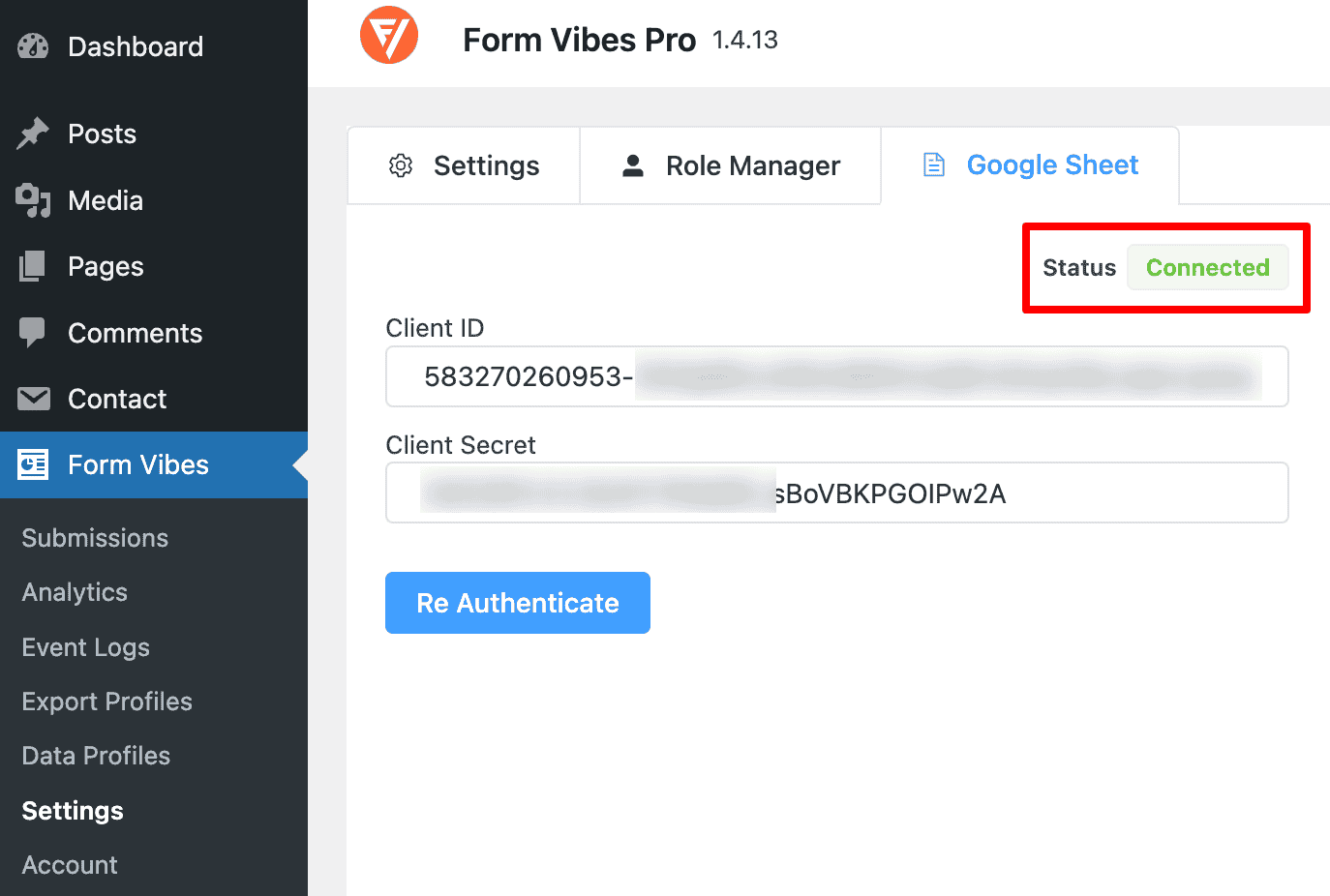
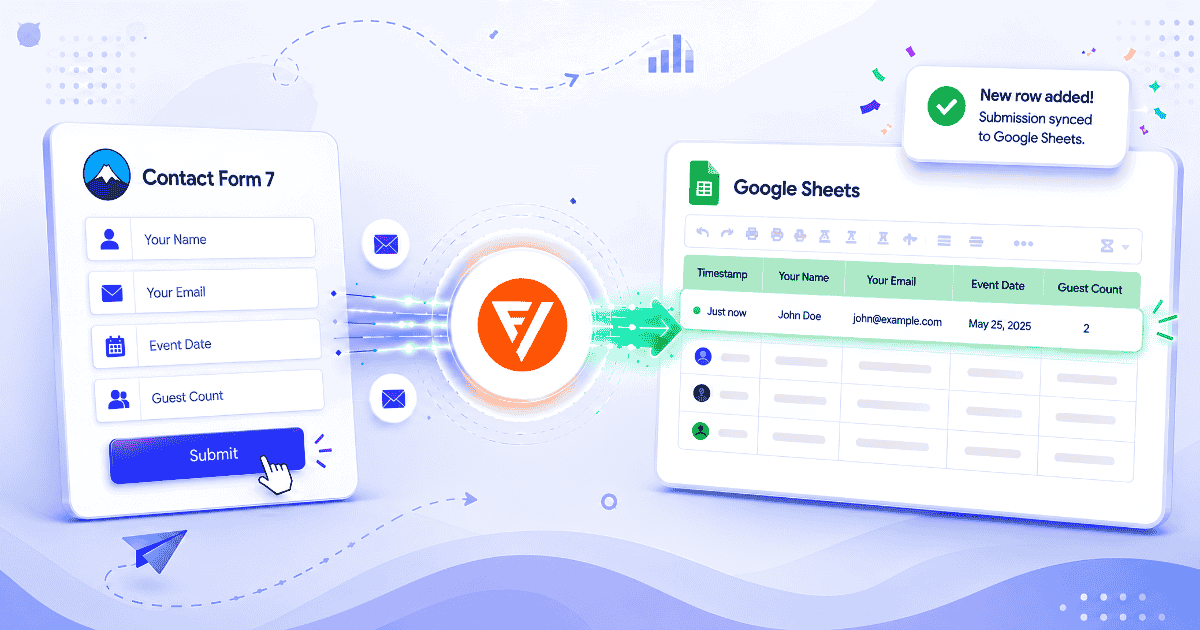
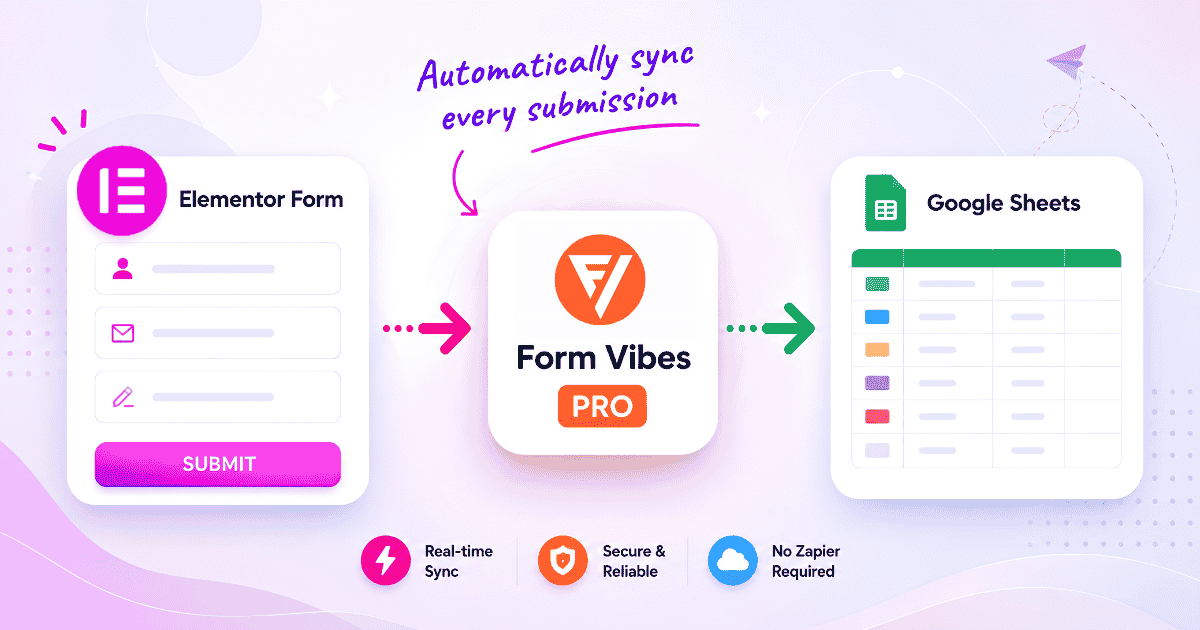
Connect Form Vibes to a Google Spreadsheet via OAuth once, create a Google Sheet Export Profile, and every new submission is pushed to the connected sheet automatically the moment it arrives. No manual export step, no third-party automation tool, no per-task limits.
Team members with access to the spreadsheet see new submissions in real time without logging into WordPress.
See the full setup guide: How to Save WordPress Form Submissions to Google Sheets.
Role Manager
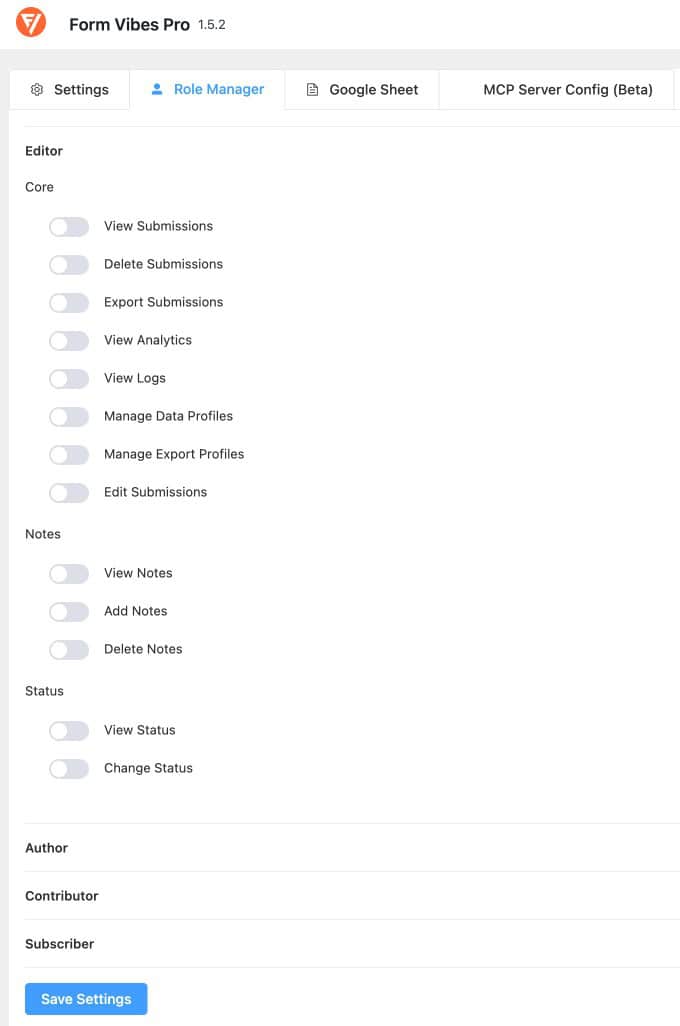
Control exactly which WordPress user roles can access which Form Vibes features. The Role Manager covers 13 individual permissions across submissions, analytics, logs, notes, status, and export profiles — each toggled independently per role.
Common setups: view-only access for client accounts, add/view notes without delete permission for junior reviewers, full access for administrators.
See the full guide: How to Manage User Roles and Permissions in Form Vibes Pro.
Data Profiles – Display Submissions on the Frontend
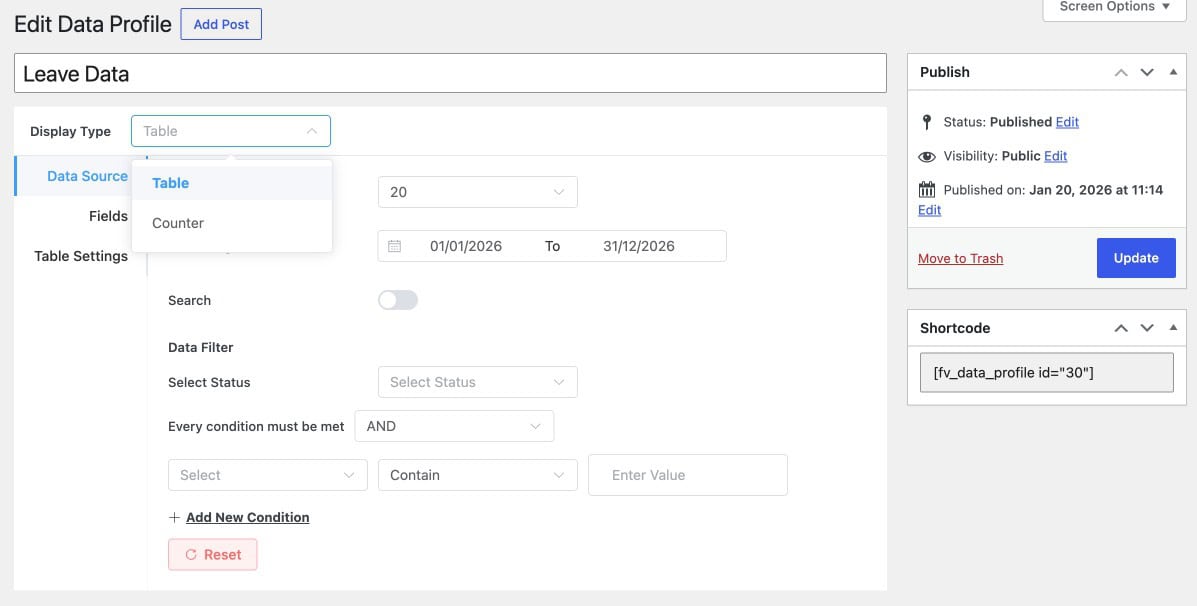
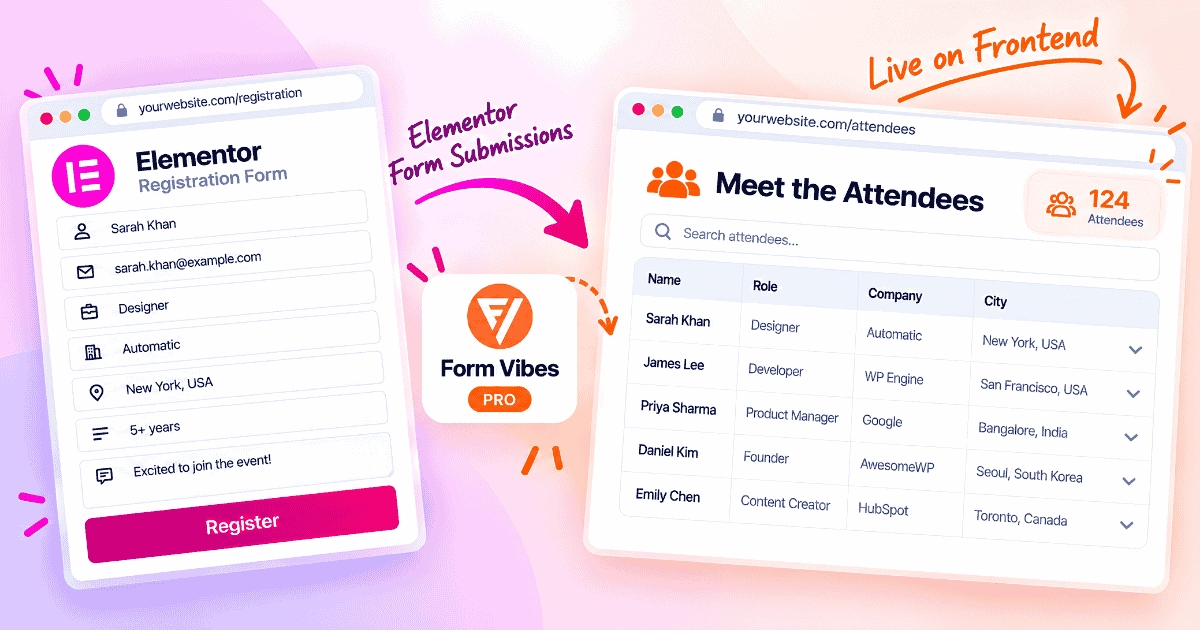
Data Profiles let you display form submission data on any page of your WordPress site using a shortcode or Elementor widget. Choose between a table format showing full submission entries or a counter displaying just the number of entries that match your criteria.
Setup works like Export Profiles – select the form, set a date range, filter by submission status, and apply AND/OR field conditions to control exactly what is shown. The Fields tab controls which columns appear in the table. Table settings cover pagination, row limits, and serial number columns.
Once published, a shortcode is generated. Paste it into any page to render the data on the frontend.
How do Free and Pro compare feature by feature?
| Feature | Free | Pro from $49/year |
|---|---|---|
| Unified submissions dashboard | Yes | Yes |
| Submission storage — all supported plugins | Yes | Yes |
| Date range filtering | Yes | Yes |
| Analytics dashboard | Yes | Yes |
| Dashboard widget | Yes | Yes |
| Quick CSV export | Yes (limited) | Yes (Unlimited) |
| Event Log | Yes | Yes |
| Advanced field-level filtering (AND/OR logic) | No | Yes |
| Export Profiles(Advance Export) | No | Yes |
| Google Sheets sync | No | Yes |
| Inline entry editing | No | Yes |
| Submission Status | No | Yes |
| Notes per submission | No | Yes |
| Role Manager | No | Yes |
| Frontend submission display | No | Yes |
Which plan do you actually need?
The free plan is enough if you
- Manage submissions alone with no team or client access required
- Receive a modest volume of submissions and review them occasionally
- Export submissions infrequently and do not need saved export configurations
- Do not need submissions to reach a Google Sheet automatically
- Do not need to track who reviewed or changed what
The blogger or personal site owner
The free plan covers everything a personal site needs storage, analytics, date filtering, and basic CSV export. There is no reason to upgrade unless your submission workflow grows beyond occasional review.
The small business owner
If you export submissions regularly for follow-up, need a Google Sheet updated automatically with every new lead, or want to filter enquiries by service type or budget before exporting, Pro pays for itself quickly. Export Profiles alone save significant time on recurring reports.
The agency or freelancer managing client sites
Pro is the right call. Role Manager gives clients view-only access without exposing the full WordPress admin. Export Profiles handle recurring client reports in one click. Google Sheets sync means leads go directly to a client’s spreadsheet the moment they arrive – no manual export, no Zapier dependency.
How Much Does Form Vibes Pro Cost?
Form Vibes Pro is available at $49 per year or $149 as a lifetime licence. Both include all Pro features, updates, and priority support. A single licence covers one site.
Current pricing and plan details are always on the Form Vibes pricing page.
Conclusion
Form Vibes Pro extends the free plugin with the features that matter once submissions become a regular part of your workflow – advanced export for recurring reports, Google Sheets sync for live spreadsheet access, Submission Status and Notes for team review, Role Manager for controlled access, and advanced filtering for precise data queries.
The free version remains one of the most capable free form submission managers available for WordPress. Pro is the next step when your volume and workflow demands make the additional features worth the investment.

Start free. Upgrade when your workflow needs it.
Form Vibes free covers storage, analytics, and CSV export. Pro adds saved exports, Google Sheets sync, and access control -everything a growing site needs to turn submissions into action.
Frequently Asked Questions
Common questions about Form Vibes Pro.
What does Form Vibes Pro include that the free version does not?
Pro adds advanced field-level filtering, unlimited CSV export, Export Profiles (saved reusable export configurations), Google Sheets sync, inline entry editing, Submission Status, Notes per submission, Role Manager for per-user-role access control, and Data Profiles for frontend submission display.
How much does Form Vibes Pro cost?
Form Vibes Pro is available at $49 per year or $149 as a lifetime licence. Both include all Pro features and priority support. Current pricing is on the pricing page →
Do I need Pro to store form submissions?
No. Submission storage, the unified dashboard, analytics, date range filtering, Quick CSV export, and the Event Log are all included in the free version.
What is the difference between Quick Export and Export Profiles?
Quick Export is a free, one-click CSV download of all current submissions for a selected form with no saved configuration. Export Profiles are a Pro feature that save a complete export setup — form, date range, field selection, filter conditions — so you can re-run the same export repeatedly without reconfiguring it each time
Which form plugins does Form Vibes Pro support?
The same plugins as the free version — Contact Form 7, WPForms, Gravity Forms, Elementor Forms, Everest Forms, Ninja Forms, WS Form, Bricks Builder, and Beaver Builder. Pro features work across all supported plugins.
Can I use Form Vibes free forever?
Yes. The free plan has no time limit and no feature expiry. You can use it indefinitely. Pro is an upgrade when you need advanced export configurations, Google Sheets sync, entry editing, or role-based access for your team or clients.


Leave a Reply